Recent activity on NFSAddons
Need for Speed Most Wanted Downloads
RockportFX Packs
Additional Screenshots
Description
RockportFX Packs
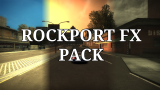
Timecycle Preset Collections for Rockport FX | Need for Speed: Most Wanted (2005)
Overview
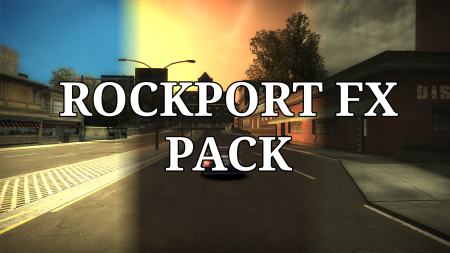
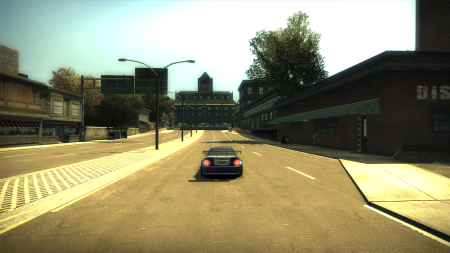
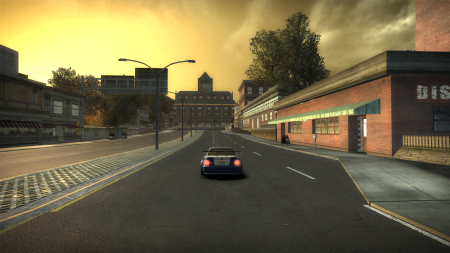
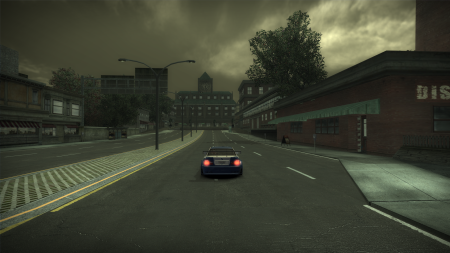
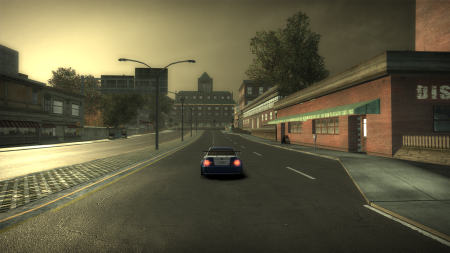
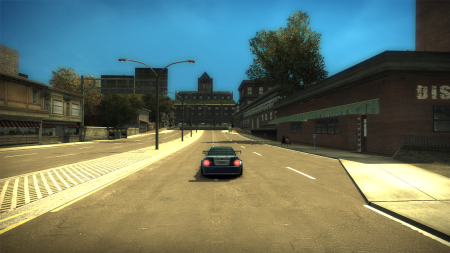
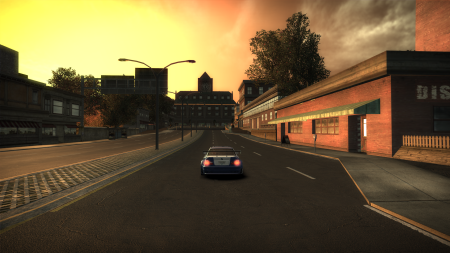
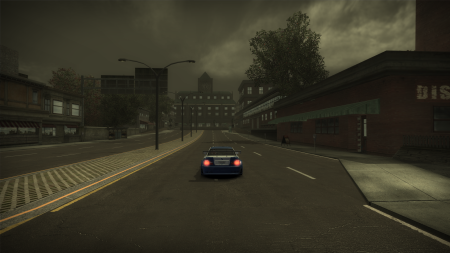
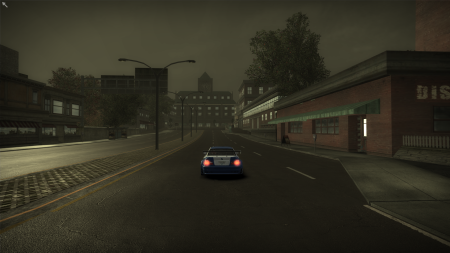
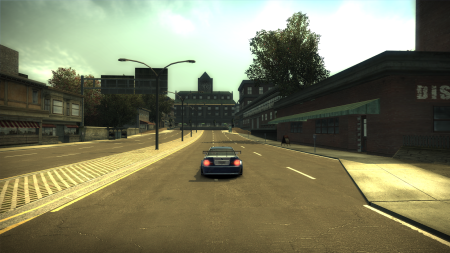
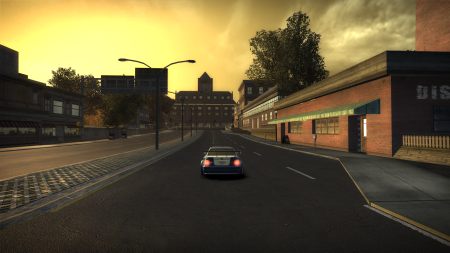
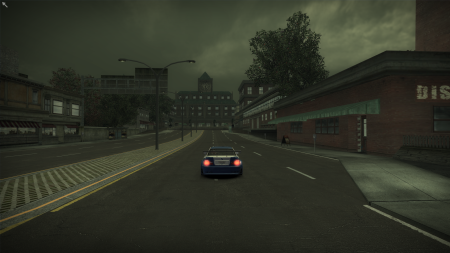
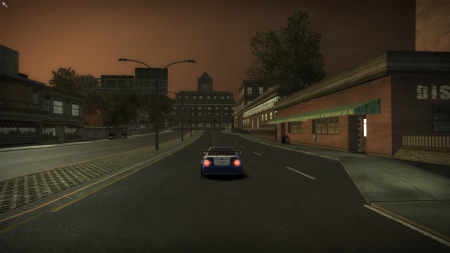
RockportFX Packs are ready‑to‑use.nfsms preset collections for CiPHER's Rockport FX mod. Each pack replaces the game's timecycle lighting with a distinct visual identity – from the original PC vanilla look, to a realistic overhaul, to the classic Xbox 360 console aesthetics.
All packs includefull weather states (sunny,dusk_sunny,overcast,dusk_overcast)plus their “Visual Treatment Off” variants (the internalno_vt_* states). This means the lighting remains correct even when you toggleVisual Treatment = Low in the game’s video options.
Included Packs
🎨 Default – Vanilla PC Timecycle
Exactly the originalNeed for Speed: Most Wanted (2005) lighting as shipped on PC. Faithfully recreates Black Box’s intended look.
Key values (sunny):
Diffuse:
1.00, 0.80, 0.30– warm golden sunlightAmbient:
0.19, 0.24, 0.32– cool shadow fillFogSky:
0.27, 0.46, 1.00– deep blue sky fogEnvSkyBrightness:
2.00/ CarSpecScale:1.00
Visual Treatment Off variants (no_vt_*) are also included – they use brighter, more saturated colors (e.g.,0xa01a3942 sunny: Diffuse1.00, 0.95, 0.75).
Best for: Purists, vanilla gameplay, or as a baseline for your own tweaks.
🌍 MrYudhaP14 – Realistic Timecycle
A grounded, natural re‑lighting of Rockport City. Reduces oversaturation and adds believable atmospheric scattering.
Key characteristics:
Sunny: Diffuse
0.784, 0.647, 0.322(warm but softer), FogSky0.00, 0.10, 0.40(realistic horizon fade)Dusk sunny: Diffuse
1.00, 0.45, 0.00(intense orange sunset), FogHaze0.60, 0.215, 0.00Overcast / dusk overcast: Grayscale lighting – Ambient & Diffuse both
0.20– for perfectly flat, shadowless overcastFogDistanceScale reduced to
1.00(clearer distance)FogSunFalloff adjusted to
-0.50(dusk) /0.00(overcast)
Best for: Players who want a modern, realistic, less “gamey” atmosphere.
🎮 Xbox360 – Classic Console Look
Replicates the distinct look of the Xbox 360 port – darker shadows, higher contrast, and different bloom handling.
Key differences from PC vanilla:
Sunny diffuse dimmer:
0.60, 0.48, 0.22(vs PC1.00, 0.80, 0.30)Sunny specular much brighter:
0.58, 0.52, 0.41(vs PC0.32, 0.28, 0.22)Overcast diffuse extremely dark:
0.03, 0.04, 0.05(PC vanilla0.13, 0.19, 0.25)Overcast ambient
0.23, 0.27, 0.32(higher than PC’s0.24, 0.29, 0.35? Actually PC is slightly different – but the overall mood is darker)Bloom curves adjusted: BlackBloomCurve nodes
0.15, 0.35, 0.98, 1.00(PC:0.00, 0.17, 1.12, 1.00) – smoother shadow roll‑offNo_VT overcast (
0x94abdff0) is completely zeroed out – Ambient/Diffuse all0.00, 0.00, 0.00, 0.00– a unique console quirk.
Best for: Nostalgia, console‑accurate replays, or a moodier, higher‑contrast Rockport.
Installation & Usage
Install Rockport FX first (F11 menu must work).
Download a pack (e.g.,
RockportFX_Packs.zip).Extract the
.nfsmsfile into:\scripts\RockportFX\preset\In‑game, pressF11 →Presets tab → load the preset.
Pro tip: After loading, you can still use theTime & Weather Control sliders and theLive Lighting Editor – your preset remains the base. UseSave As to create hybrids.
Thank you.
Random NFS Addon

Newest Addons
Latest Updates
- FACE.D Career Opponent Presets
- MemphisRider
- The smol model fix for NFSU2
- Vivianne
- 2014 Koenigsegg One:1
- Peugeot 106 GTI
- NFSMW Fixed Cop Models All In One Pack Police Rework
- Need For Speed Most Wanted : Extreme Hard Final Pursuit (Heat 6)
- RPD 2022 Cadillac CT5-V Blackwing (Addon)
- RPD 2015 Dodge Charger SRT Hellcat (Addon)
Visitor Comments
Error: You must be logged in to comment on this file.
Not registered yet? Register here. It only takes 30 seconds.
Forget your password? Find it here.