Recent activity on NFSAddons

Need for Speed Most Wanted Downloads
Rockport FX

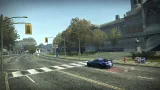
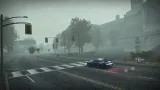
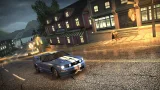
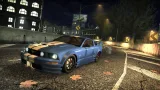
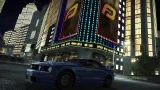
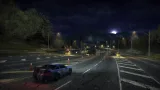
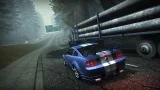
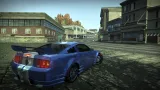
Description
Rockport FX
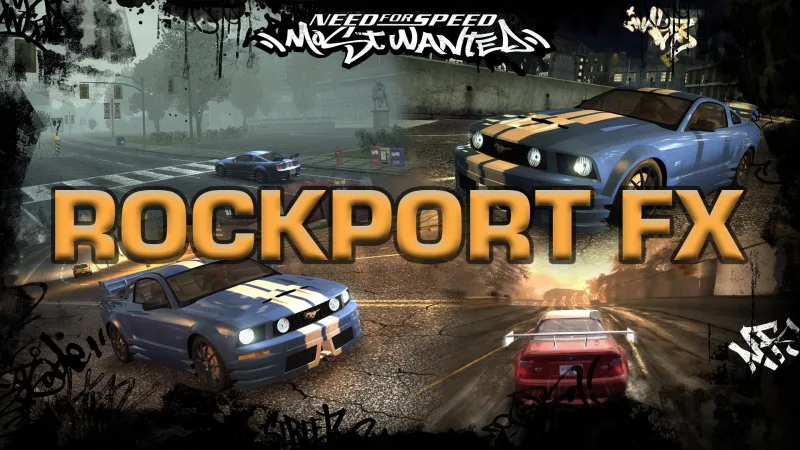
An advanced, native in-game environment and graphics control menu for Need for Speed: Most Wanted (2005).
RockportFX is best enjoyed with Plak Graphics Vanilla Edition: Get Vanilla Edition
(Use code 'CIPHER' for 15% OFF!) Download Plak VE Preset
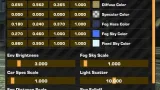
Rockport FX gives you complete real-time control over the game's Time of Day, weather conditions, lighting engine, and post-processing.
Built natively with ImGui and DirectX 9, it bypasses traditional limits to let you customize the look of Rockport City exactly how you want it, on the fly.
Features
- Time & Weather Control: Precise slider to change the Time of Day.
Speed up the time cycle, slow it down, or freeze it completely.
Toggle between Sunny/Overcast and force rain instantly. - Live Lighting Editor: Edit the game's internal RGBA lighting values in real-time. Customize Ambient, Diffuse, Fog, and Sky colors,
along with Environment Brightness and Car Specular intensity across all weather states. - Visual Treatment Tweaker: Toggle High/Low visual treatment and Overbright on demand.
Live-edit Color Tint, Bloom intensity, and Saturation. - Advanced Curve Canvas: Built-in interactive spline editor to fine-tune Black Bloom and
Color Bloom curves across four nodes (Shadows, Mid-Low, Mid-High, Highlights). - Smart Preset System: Save your custom environments as .nfsms presets.
The mod automatically remembers your active preset and loads it flawlessly on your next game launch.
Installation:
Simply Drag & Drop the scripts folder from RockportFX.zip into your game folder.
In-Game:
- Press F11 to toggle the Rockport FX menu open and closed.
- Use the Presets tab at the bottom to create, save, or switch between your lighting setups.
- If you edit the Low/High VT toggles or Weather modes, use the Reset buttons to resync the engine to vanilla defaults if needed.
Configuration:
You can customize the menu behavior by opening scripts\RockportFX\config.yml in any text editor:
- Change the togglekey (Default is 122, which is F11). (Note: Changes to the togglekey requires restart!)
- Adjust the menuscale if the UI is too large or small for your screen resolution.
- Enable or disable the developer debug console.
Credits:
- ARCHIE
- blueskywestside
- Elaymm
- HellRaven
- nlgxzef
- Osdever
- Torutheredfox
- VeeTec
For those who have issue with mod no appearing can also try
running the game with Windowed mode = 1 in widescreenfixsettings.ini
Or try Dxvk x32 Bit d3d9.dll file into your game folder -https://github.com/doitsujin/dxvk/releases/tag/v2.7.1
Changelog
-
Version 1.2
uploaded June 15, 2026
C i P H E R uploaded a new version. The new file is 495.4 KB.
Small bug fixes. -
Version 1.1
uploaded June 10, 2026
C i P H E R uploaded a new version. The new file is 494.77 KB.
Fixed Mod Menu not appearing for Full screen mode.
Fixed Cursor not appearing with latest Widescreen Fix Mod -
Initial version
uploaded May 18, 2026
C i P H E R uploaded initial version. The original file is 494.77 KB.
Random NFS Addon
Newest Addons
- 2005 Vauxhall Monaro VXR (V2)
- Enable Single Player on All Events
- RPD 2016 Ford Police Interceptor Utility (Addon)
- Audi RS6 Avant C8
- Nissan Altima 3.5 SE (L32)
- HD Menu Textures
- Fast AI for Raceway 3
- Unlockable and Fully Performance Upgradeable Corvette C6R
- NFS Shift 2 Garage [C]
- Cop/Police FORD SHELBY TERLINGUA MUSTANG COPTERLINGUA (ADDON)
Latest Updates
- 2005 Vauxhall Monaro VXR (V2)
- Improvements for Extended Paints
- Improvements for Extended Paints
- Dynamic Uphill Crash Fix & Crash Logger
- Most Wanted Cwoee Chaos
- 1996 BMW 850CSi E31 [Addon]
- Cop/Police Viper COPVIPER (ADDON)
- Cop/Police Muscle Car 08 Pack (ADDON)
- Random Roadblocks
- Realistic Preset for Sunset Mod
Visitor Comments
No... sunset mod has its own editor.
This mod is to edit vanilla game visuals.
Yes you can, mod is made for vanilla game.
I mentioned Plak Vanilla edition cause it works with it
Finally I can make my pc explode now
I couldn't get it to work in the original version; I press F11 but the menu doesn't appear.
Are you using your own modded game or some other modpack?
simply Remove d3d9.dll if its not working for you
try running the game with Windowed mode = 1 in widescreenfixsettings.ini
1. Yes my game is modded
2. I put d3d9 after I installed your mod after testing it without the dll (which didn't open the console menu)
3. That will crash my game (i think)
Thats really weird ... normally game should be working fine with dxvk d3d9.dll
Unless you got a AMD Gpu
just try on another copy. idk why your game is crashing with d3d9.dll
I tried it with windowed mode, it works now but I had to delete the dll.
Whichever works for you .... go with that
next patch i will try to fix it all
I installed DXVK, 32-bit, and it worked .CIPHER thanks
Error: You must be logged in to comment on this file.
Not registered yet? Register here. It only takes 30 seconds.
Forget your password? Find it here.