Recent activity on NFSAddons


Need for Speed Most Wanted Downloads
Chloe's Extended Geometry Tool
Screenshots (3)
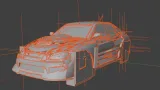
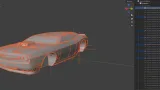
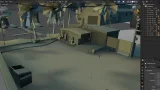
Description
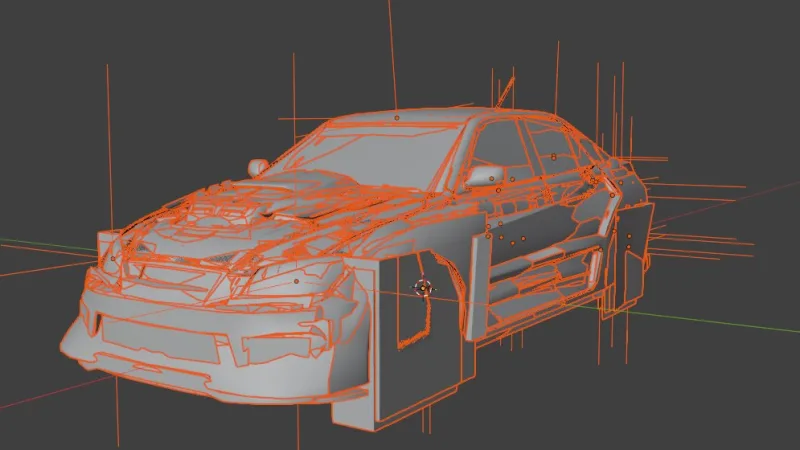
A tool to handle vehicle models in the Black Box NFS games
This tool is currently capable of:
- Parsing and recreating the format from memory
- Exporting cars and other models to .fbx
- Importing vehicle models back into the game
- Converting Most Wanted Xbox 360 models directly into Most Wanted PC and vice versa
Supported formats
- NFS Underground 1 (PC) - Parsing (all model types) & creation (vehicles only)
- NFS Underground 2 (PC) - Parsing (all model types) & creation (vehicles only)
- NFS Most Wanted (PC) - Parsing (all model types + HeliSheet) & creation (vehicles only)
- NFS Most Wanted (Xbox 360) - Parsing (all model types) & creation (vehicles only)
- NFS Most Wanted (PS2) - Parsing (hierarchy & dummies only, no meshes)
- NFS Carbon (PC) - Parsing (vehicles & menu models only) & creation (vehicles only)
- NFS Carbon (Wii) - Parsing only (all model types)
- NFS ProStreet (PC) - Parsing & creation (vehicles only)
- NFS Undercover (Wii) - Parsing only (all model types)
- NFS World (PC) - Parsing & creation (vehicles only)
- NFS Nitro (Wii) - Parsing only (vehicles only)
Advantages over CarToolkit
- No external configuration files required, materials, normal maps and position markers are all self-contained in the .fbx
- No vertex or polygon limit, models can be as complex as you'd like (requires "-high_poly_support", does not work for Underground models)
- Position markers are movable & scalable dummies in the .fbx instead of cubes
- ProStreet cars export to .fbx with better UV mapping (they aren't any better in-game though)
- Support for viewing frontend models and even certain types of map models
- Support for the Xbox 360 version of Most Wanted
- Textures are pre-assigned in the .fbx
- Vastly fewer unknown material & texture hashes
- Vertex color data is always preserved
Limitations
- Autosculpt zone highlighting is not supported in NFS Carbon
- Collision volumes are not supported in the Underground games
- Exported map models do not include section data or positioning data
- Mesh transforms are not preserved, it's recommended to duplicate/merge meshes instead of creating new ones so Blender doesn't break the model
- Wii car models are missing some data, such as vertex colors and autosculpt models
Disclaimer
Due to the current programming landscape, I feel that it's necessary to explicitly state that this project had zero assistance or any other kind of involvement from any sort of "AI agent" and it never will.
This mod was entirely built by hand, by a human being, and I believe that any project that cannot also claim this about itself is not worth people's time. The only acceptable amount of AI use is zero AI use.
Usage
- Enter a commandline prompt, run "CwoeeGeometryTool_gcp.exe (filename)" with the arguments you'd like to use (example: "CwoeeGeometryTool_gcp.exe BMWM3GTRE46.fbx -create_mw_bin -high_poly_support")
- The file will now be processed by the tool
- Enjoy, nya~ :3
Random NFS Addon
Newest Addons
- Chloe's Extended Geometry Tool
- Heat Soundtrack - Add your own music
- NFSMW Cheat Menu + FPS Overlay (.asi file)
- 1971 Plymouth Cuda Convertible - 426 Hemi "Hemi Cuda" + 440-6 "Six-Barrel Cuda"
- NFSMW WideScreenMode
- Phantom
- Audi R8 V10 5.2 FSI
- Bonus Porsche + Porsche 911 Turbo
- Bonus Porsche
- Koenigsegg CCX
Comments
No comments yet. Be the first to add one!
Error: You must be logged in to comment on this file.
Not registered yet? Register here. It only takes 30 seconds.
Forget your password? Find it here.