Recent activity on NFSAddons


Need for Speed Most Wanted Downloads
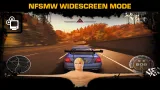
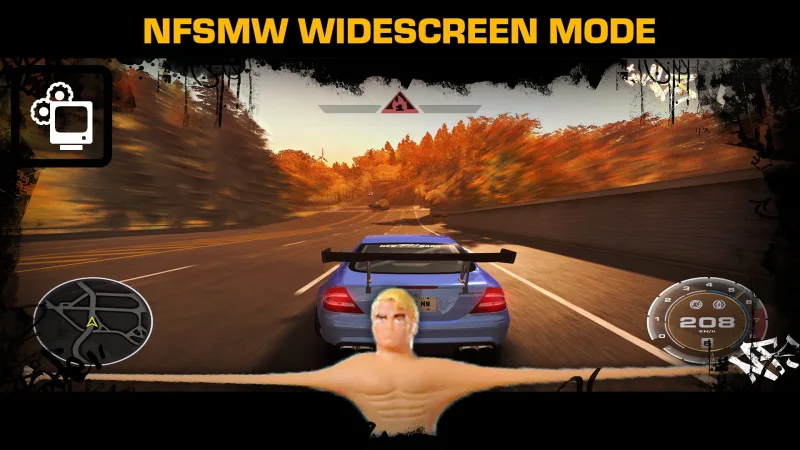
NFSMW WideScreenMode
AuthorAI-assistedC i P H E R
Added On
November 20, 2026
Version
Most Wanted
File Size
805.4 KB
Views
34
Downloads
2
Favorited
0 times
Description
Made with AI help: AI was used as as a assistant and debugging code, reverse engineering game functions, and documentation.
NFSMW_WideScreenMode is a lightweight, modern widescreen plugin forNeed for Speed: Most Wanted (2005) v1.3, built from the ground up with clean C++ and IDA Pro reverse engineering.
Key Features:
- Display & Resolutions: Dynamically enumerates all monitor display modes directly into the in-game Video Options menu with seamless runtime switching. Supports Fullscreen, Borderless, Bordered, and Resizable modes.
- FOV & HUD: Automatic Hor+ Field of View calculation and aspect-ratio corrected widescreen HUD element positioning.
- Movies & FMVs: Widescreen video scaling (Fill 16:9 or Pillarbox), startup intro skip, auto NTSC/PAL detection, and full-color range YUV expansion (0–255).
- Graphics & Framerate: High-precision SimRate (high-refresh physics ticker), dedicated 60 FPS lock for FE Garage/Safehouse, dynamic shadow resolution up to 16K, GPU vendor override, and in-game Motion Blur toggle.
- Audio & Quality of Life: Full CD-quality (44.1 kHz) audio mixer, optional hardware Windows OS cursor in menus, and portable registry/save directory redirection.
Standalone Companion Mods:
- NFSMW_ControllerSupport — Full XInput, DualShock 4 / DualSense button icons, deadzone tuning, and analog stick fixes.
- NFSMW_NOSTrailFix — High-FPS nitrous trail fixes, custom length scaling, tip fade-out, and 360° pause camera visibility.
Installation:
- Simply drag and drop the scripts folder and dinput8.dll into your main game directory.
- Open scripts\NFSMW_WideScreenMode.ini and configure the settings to your liking.
Credits:
- nlg — Providing the IDA Pro database for NFS Most Wanted.
- Toru — Full-color YUV LUT calculation logic and X360Stuff reference.
- Archie — Sunset Mod codebase reference for the in-game Motion Blur option.
- ThirteenAG — Referred to for initial research.
For the complete configuration guide, full feature breakdown, and source, check GitHub Repo.
Comments
No comments yet. Be the first to add one!
Error: You must be logged in to comment on this file.
Not registered yet? Register here. It only takes 30 seconds.
Forget your password? Find it here.