Recent activity on NFSAddons

Need for Speed Most Wanted Downloads
NFSMW Cheat Menu + FPS Overlay (.asi file)
Screenshots (7)
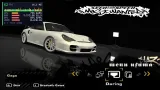
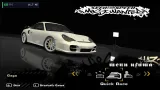
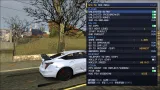
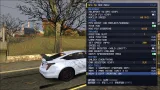
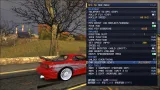
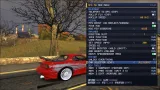

Description
1. Copy NFSMW_Overlay.asi and NFSMW_Overlay.ini into the game’s scripts folder.
2. Start the game.
3. Press F1 to open or close the menu.
4. Press F9 to toggle the FPS overlay.
5. Press F10 to toggle the stats panel.
REQUIREMENTS
- NFSMW 1.3 (speed.exe) The plugin checks the executable layout. If it does not match, memory cheats are disabled and the log explains why.
- An ASI Loader For example, Ultimate ASI Loader: https://github.com/ThirteenAG/Ultimate-ASI-Loader/releases
- Windows GPU usage requires Windows 10 1709 or later. VRAM requires Windows 10. Older systems show N/A.
- NFSMW ExtraOptions Required only for Unlock Everything.
CONTROLS
F1 Open or close the menu UP/DOWN Move between menu items LEFT/RIGHT Change a value ENTER/SPACE Use an item or toggle it F9 Toggle FPS overlay F10 Toggle stats panel
MENU INDICATORS
Green / grey switch Toggle ON / OFF RUN One-shot action < value > Adjustable option N/A (grey) Currently unavailable, for example, when not in free roam (EXP) Experimental feature. Save your game first.
CHEATS
PLAYER
- Unlimited Nitro NOS never runs out.
- Unlimited Speedbreaker Speedbreaker never runs out.
- Unlimited Money Maintains cash at $99,999,999, refilled approximately every 0.5 seconds.
- Add $1,000,000 Adds $1,000,000 cash, capped at $99,999,999.
POLICE
- No Cops Disables police.
- Set Heat Level Sets heat level from 1 to 10. Changes apply immediately.
- Start Pursuit Forces a pursuit to start.
- End Pursuit Forces the pursuit to end, similar to a cooldown.
WORLD
- Game Speed Adjusts game speed from 0.25x to 3x.
- Go To Safehouse Teleports to the safehouse using the game’s built-in function.
- Go To Car Lot Teleports to the car lot using the game’s built-in function.
- Go To Modshop (EXP) Sets GPS to a custom shop gate and follows the road route. LEFT/RIGHT selects the shop, nearest first. Press ENTER again to cancel.
- Abandon Race Leaves the current race.
MOVEMENT
- Teleport To GPS (EXP) Flies to your GPS waypoint while following the GPS arrow along the road surface. Set a waypoint on the map first. Press ENTER again to cancel.
- Noclip Fly (EXP) Enables free-fly mode with collision disabled.
- Noclip Speed Selects movement speed: 20, 60, 150, or 400 m/s.
NOCLIP CONTROLS
I / K Forward / backward J / L Left / right PgUp / U Up PgDn / O Down
SHIFT 3x faster
Turn off noclip while in open air. If the car is still inside an object
when physics is restored, the game may reset it.
VISUAL
- FPS Boost Disables car reflections, car shadows, and lens flares to improve performance on weaker GPUs.
- Hide HUD Hides the HUD.
- NOS FOV Widening Adjusts the FOV during nitro: Normal, Wide, Wider, or Max.
TRAINER
- Position Slot Selects position slot 1 to 5.
- Save Position Saves the car’s position to the selected slot using the game’s built-in feature.
- Load Position Moves the car to the saved position in the selected slot.
- Set Speed (MPH) Selects 100, 150, 200, or 300 mph. Press ENTER to apply the speed in the direction the car faces.
- Speed X2 Doubles the current speed.
- Speed Booster While enabled, hold LEFT SHIFT to push the car forward.
- Speed is capped near 360 mph.
- Add Bounty +50,000 Adds 50,000 bounty.
- Heavy Speedbreaker Mass Multiplies Speedbreaker collision mass by 8. The original value is stored and restored when disabled.
SPEED X2 AND SPEED BOOSTER REQUIREMENTS
The car must be moving faster than approximately 9 mph the first time you use either feature. Otherwise, the menu displays DRIVE FASTER FIRST.
SYSTEM
Unlock Everything Activates ExtraOptions’ UnlockAllThings hotkey. The key is read from NFSMWExtraOptionsSettings.ini, under [Hotkeys] in the scripts folder. Displays N/A if no key is configured.
Car Selector (EXP) Changes the player’s car using the game’s built-in debug list. Use LEFT/RIGHT to select and ENTER to switch. Engine sounds may be missing on the new car.
DEV TOOLS
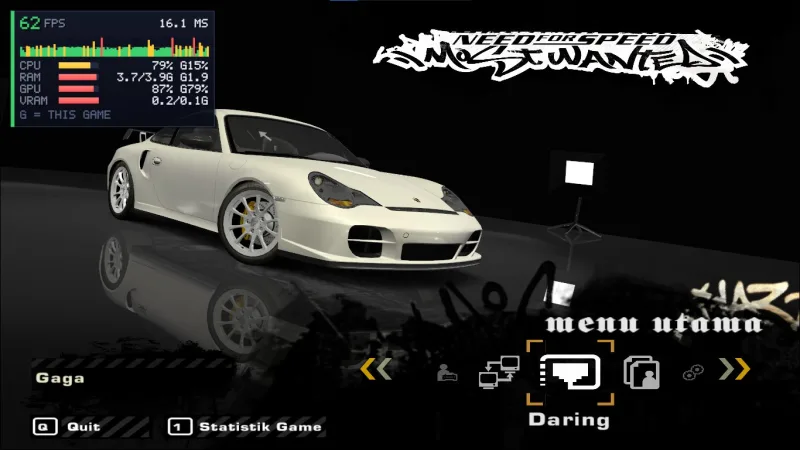
FPS OVERLAY AND SYSTEM MONITOR
The overlay appears in the top-left corner.
- FPS counter with color indicators: Green: 55 FPS or higher. Yellow: 30 to 54 FPS. Red: Below 30 FPS.
- Frame time display.
- Frame-time graph covering the last 96 frames.
- CPU usage.
- RAM usage.
- GPU usage.
- VRAM usage.
- G indicates game-specific usage.
CONFIGURATION
Configuration file: NFSMW_Overlay.ini
TROUBLESHOOTING
Problem: Menu or overlay does not appear. Solution: Open
NFSMW_Overlay.log inside the scripts folder and check for “Present
callback reached”.
Problem: F1 does nothing, but the menu appeared once. Solution: Set
RequireFocus=0 in the INI file.
Problem: Menu item displays N/A. Solution: Usually means you are not in
free roam. Reopen the menu once you are in the game.
Problem: GPU / VRAM displays N/A. Solution: Requires Windows 10. VRAM is
read from the largest adapter only.
Problem: Teleport / Modshop returns to the starting position. Solution:
Experimental feature. The game may reset cars that leave the loaded
area. Check the log for route: and glide: entries.
Problem: Game crashes. Solution: Check NFSMW_Overlay.log. Save your game before using experimental features.
The log is rewritten every time the game starts.
KNOWN LIMITATIONS
- Tested only on NFSMW 1.3 Black Edition.
DISCLAIMER
For single-player use only. This software is provided as-is, without warranty. It is not affiliated
with or endorsed by Electronic Arts.
Use at your own risk and back up your save files.
CREDITS
Game addresses and function signatures are based on community projects:
- NFSMW Overlay by Krm44x
- NFSPluginSDK (Game.MW05) by Berkay Yigit (berkayylmao). License:
BSD-3-Clause.
- NFSMW reverse-engineering project (nfsmw-2005-re / nfsmw-2005-sdk).
License: BSD-3-Clause.
- NFSMW ExtraOptions by the ExOpts Team. License: GPL-3.0.
This plugin uses two game addresses (the built-in hot-position slots) and reads the [Hotkeys] INI key. No ExtraOptions source code is included.
CHANGELOG
v1.0 Initial public release.
Comments
No comments yet. Be the first to add one!
Error: You must be logged in to comment on this file.
Not registered yet? Register here. It only takes 30 seconds.
Forget your password? Find it here.