Recent activity on NFSAddons
Need for Speed Most Wanted Downloads
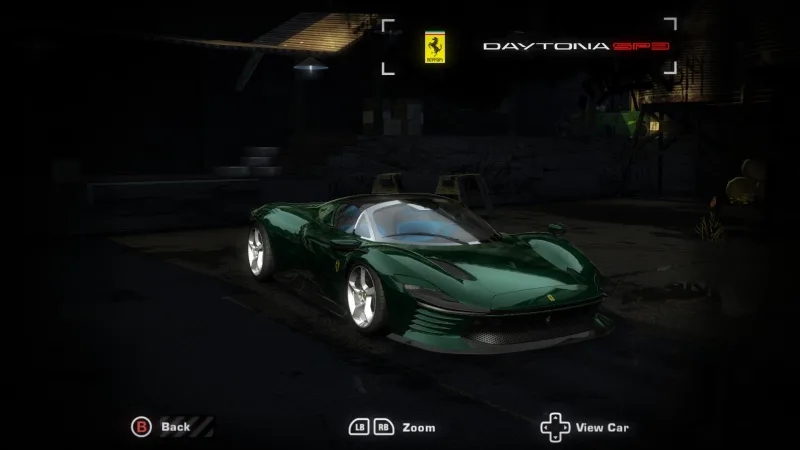
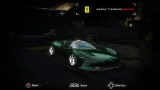
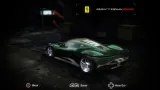
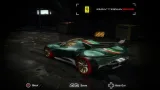
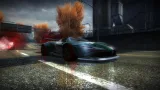
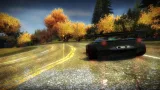
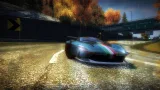
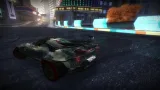
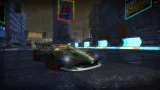
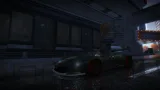
2023 Ferrari Daytona SP3
Screenshots (15)
Description
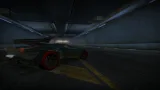
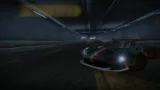
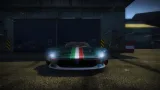
Ferrari Daytona SP3 (Extended Customization) in Verde British Racing stock paint.
Base model from Real Racing 3, with some parts from NFS 2015, Heat, World (Including base game and Sparkserver)., and The Crew 2
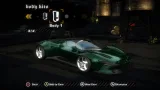
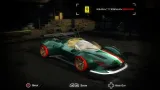
Customization:
- Body kits (1) - Custom widebody made by me
- Spoilers (30 unique + vanilla)
- Hoods (1) - Stock carbon variant
- Roof (2) - Painted roof and open top variants
- Roof scoops
- Rims (9 custom paintables)
- Interior (40) - Color options
- Headlights (15) - Color tints
- Taillights (13) - Color Tints
- Brakes (15) - Caliper colors
- Side Mirrors (4) - Carbon and paint combinations and remove mirrors
- Attachments (6 slots)
Slot 1: Top part behind roof
Slot 2: Exhaust material
Slot 3: Badging removal
Slot 4: Middle part of front bumper (originally carbon fiber)
Slot 5: Splitter (paintable variant)
Slot 6: License plate location
- Performance
- Paint
- Vinyls
- Window Tint
- Custom Gauges
Bugs:
- Vinyls may look a bit messy at times
Other features:
- Optional green carbon Italy livery included (can replace any non-paintable livery)
Installation instructions are on the ReadMe file.
Permissions Granted:
1. To convert this mod into other games.
2. To improve this mod by adding more customization into the mod or improving performance.
3. To add this car into repacks such as Redux, Remasters, Pepega Mod, etc.
Credits:
Blender - Software used to work with the model and create the mod.
.CSB - CSR2 models where I got their spoilers from
GM25 - Real Racing 3, NFS Heat and NFS 2015 models
Guki - The Crew 2 models for some spoilers
nfsu360 - NFS CarToolKit software used to export the model and textures into .bin files.
Freeroam SparkServer - Some of the customization parts
Updates:
1: January 25, 2023
- Fixed HandlingRating order that was previously in the wrong order
2: July 4th, 2023
Unlimiter v4 Support: Custom light flares and custom rims support enabled for Unlimiter v4 compatibility
https://www.mediafire.com/file/galqhx6ohy8y96w/Ferrari_Daytona_SP3_Extended_Customization.zip/file
Changelog
-
Version 1.1
uploaded April 30, 2024
Aftrmrket Exotics uploaded a new version. The new file is 266 B.
- OGVI script added
- Reduced DBModelParts count
- Added option to uncover headlights under new attachment slot -
Initial version
uploaded December 22, 2022
Aftrmrket Exotics uploaded initial version. The original file is 266 B.
Random NFS Addon
Newest Addons
- Most Wanted Chloe Collection
- Most Wanted Multi-Layer Vinyls
- Custom/Random license plates
- Lamborghini Diablo SV (Racer & Pursuit)
- Cop/Police Nissan GTR Proto COPPROTO (ADDON)
- 2005 Vauxhall Monaro VXR (V2)
- Enable Single Player on All Events
- RPD 2016 Ford Police Interceptor Utility (Addon)
- Audi RS6 Avant C8
- Nissan Altima 3.5 SE (L32)
Latest Updates
- Ford Mustang 3 in 1 pack
- Nissan Altima 3.5 SE '07
- Cop/Police Shelby Daytona Coupe COPCOBRAD (ADDON)
- Cop/Police Lamborghini Countach 5000QV COPCTACH (ADDON)
- Cop/Police Charger06 COPCHARGER06 (ADDON)
- NFS.onl Software: kickStart Netplay Launcher & Lap Recorder
- Ford Mustang 3 in 1 pack
- Nissan Altima 3.5 SE '07
- 2005 Vauxhall Monaro VXR (V2)
- Improvements for Extended Paints
Comments 7
I will try my best to clarify what's in the readMe file.
1. Run Binary in "User Mode" (the red icon in the left)
2. Upon prompt, go to the mod folder -> Binary Installation, and select "Binary Installation VERSN1.end" file
3. Another prompt will appear, and when prompted, select the game directory (it's a folder).
4. Save files but do not run the game, and close Binary.
5. Move the vinyls.bin of the resolution you are using (denoted by the number in each vinyl folder) into the "DAYTONASP3" folder. Then, move the "DAYTONASP3" folder over to "CARS" folder in the game directory.
6. Move the "DAYTONASP3.ini" file into Game Directory->scripts->UnlimiterData folder.
7. Open VltEd and make sure you are using the game directory where the Binary part is complete and the folders and the files are all moved in.
8. If so, Go to file->import->ModScript in VltEd.
9. Go to the folder of the mod that was downloaded (not the one in the game directory) -> VLT Install, and select "Daytona SP3 Performance.nfsms", or something along the lines like that.
10. Install the modscript, save changes, and close VltEd.
11. And you're done. Enjoy the mod!
Error: You must be logged in to comment on this car.
Not registered yet? Register here. It only takes 30 seconds.
Forget your password? Find it here.