Recent activity on NFSAddons
Need for Speed Most Wanted Downloads
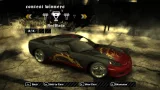
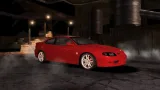
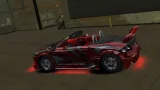
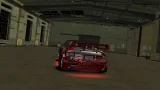
Audi TT 3.2 quattro (NFSU2 Customizations)
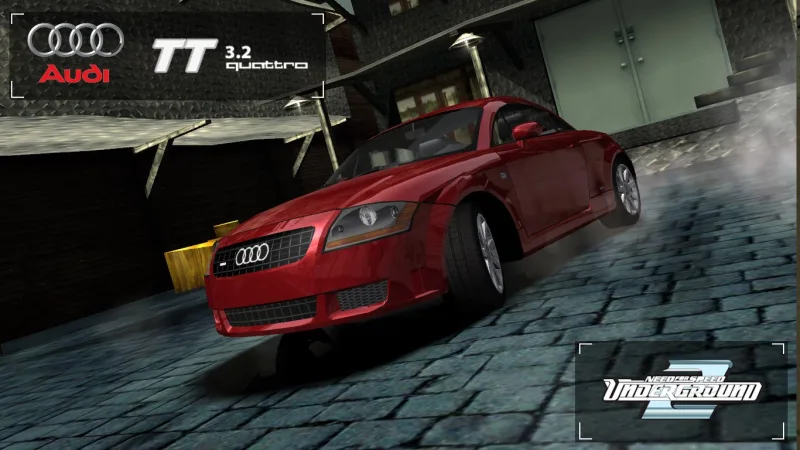
Screenshots (9)
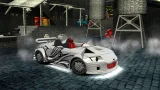
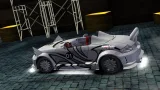
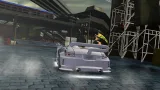
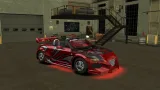
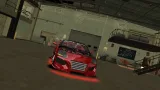
Description
What a good day to do these blasphemies to one of the greatest Bauhaus-design German engineering. Been a while since the last time I did a full UG2 parts conversion, just because I'm tired of always 3D model from scratch custom parts for a car
You can either install this addon to replace the original TT or as a new car
Customizations:
- 30 Body kits
- Spoilers + 40 NFSU2 spoilers
- Rims + 14 NFSU2 spinner rims
- 64 Hoods
- Roof Scoops
- 6 Interior colors
- 17 Roofs
- 15 Floaters (spinners)
- 11 Headlights
- 11 Brakelights
- 45 Side mirrors
- 3 Engine levels
- 2 Trunk styles
- 6 Driver seat colors
- 6 Passenger seat colors
- 6 Steering wheel colors
- 6 Roll cage levels
- Paint
- Vinyls
- Rim paint
- Window tint
- Decals
- Numbers
- License plate
- Tires
Installation:
0. Install NFMW Unlimiter to your game first
1. Extract this car zip file somewhere
2. Open Binary, choose User Mode, locate the extracted zip folder, click Addon or Replace folder, click the un_install.end, select your game directory, then choose Install Car (choose x512/x1024 vinyls for addon). After that, save file. Replace version is done after this step
3. For addon, open OGVI/VltEd, open your game in it, go to File, Import, ModScript, click the OGVI_VltEd.nfsms, then choose Install. After that, save file
4. Run game, then create new save to see and use the car. Or use SavePatcher/ZMenu to put the car in existing save
Uninstallation:
1. Open Binary, choose User Mode, locate the extracted zip folder, click the un_install.end, select your game directory, then choose Uninstall for addon or Revert to Original for replace. After that, save file. Replace version is done after this step
2. For addon, open OGVI/VltEd, open your game in it, go to File, Import, ModScript, click the OGVI_VltEd.nfsms, then choose Uninstall Car. After that, save file
Random NFS Addon
Newest Addons
- Most Wanted Chloe Collection
- Most Wanted Multi-Layer Vinyls
- Custom/Random license plates
- Lamborghini Diablo SV (Racer & Pursuit)
- Cop/Police Nissan GTR Proto COPPROTO (ADDON)
- 2005 Vauxhall Monaro VXR (V2)
- Enable Single Player on All Events
- RPD 2016 Ford Police Interceptor Utility (Addon)
- Audi RS6 Avant C8
- Nissan Altima 3.5 SE (L32)
Latest Updates
- Ford Mustang 3 in 1 pack
- Nissan Altima 3.5 SE '07
- Cop/Police Shelby Daytona Coupe COPCOBRAD (ADDON)
- Cop/Police Lamborghini Countach 5000QV COPCTACH (ADDON)
- Cop/Police Charger06 COPCHARGER06 (ADDON)
- NFS.onl Software: kickStart Netplay Launcher & Lap Recorder
- Ford Mustang 3 in 1 pack
- Nissan Altima 3.5 SE '07
- 2005 Vauxhall Monaro VXR (V2)
- Improvements for Extended Paints
Comments 9
Bro fell off 🥀 furry ass body kit even furries doesnt likes it. good ec anyway, waiting mores ec from you
Is it possible that you could create an LFA Concept mod for Carbon with bodykits? Or at least tell me how to make it myself since I don't have the basic knowledge of creating car addons with bodykits or without them in general.
It's actually not supposed to be my permanent addon in the first place the moment I uploaded it. I already plan to inactivate it after some days, but I can bring it back if you want
That would be fantastic.
Error: You must be logged in to comment on this car.
Not registered yet? Register here. It only takes 30 seconds.
Forget your password? Find it here.