Recent activity on NFSAddons
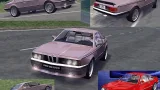
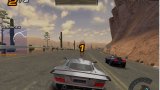
Need for Speed High Stakes Downloads
HS Nice Graphics 2.3 (1.31)
Screenshots (9)

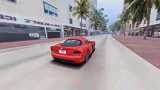
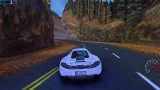
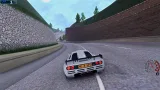
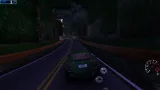
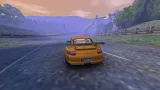
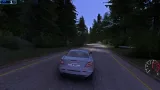
Description
Based on Reshade shaders by Awesome Mods called PhotorealisticNeedForSpeed4.
(...Dr_Vannacut is author of Ray Tracing shader/wrapper)
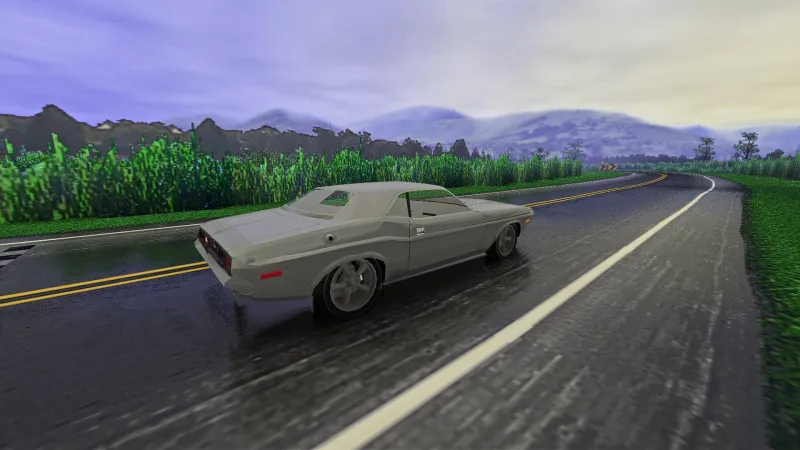
What I did: I removed an shaders types that cause glitches in the game when Weather is enabled. Two shaders remains. They are tone coloring and sharpening. Those, had been strongly modified (from scratch).
For people with an bad eyes (sight), spoiled by the time, this mod is ridiculous. The easy blue tone, makes HS look stylish.
For all info, please read READ ME!
Updated version 2 is now supports DirectX7 and 8. So now you can use Hi-poly cars - unlimitedly.
Updated version 2.1 is now have 2 additional shader effects: Ambient Light and Colourfulness, which now make game look like modern game aka GTA or Drive Club. Also I updated Directx9 library (dll).
As in previous version, you can use that Mod on any game you have on pc.
In High Stakes a glitch exist. Special effects on a screen , sometimes are being displayed as squares.
------------------------------------------------------------
Later I did removed an DIRT. Ambient Occlusion is back! The HS graphics feels 3x times better. Colors temperature is now in the middle between low profile tv/monitor and high profile.
-------------------------------------------------------------
Now, I added BloomHDR, which makes bright areas in the game look darker, and an dark areas look brighter. So you have nice skies. And added Clarity, which makes textures being calibrated automatically to look more real.
So now the game's picture look great, with cost of bit of performance drop (and input delay), but well if you ask me whats better eventually - I would choose Reshade over standard game. Tho this little lag doesn't make car physics degradation. Enjoy.
-------------------------------------------------------------------------------
(HS Nice Graphics 2.2 (1.24)
Ambient Occlusion shader being removed. In Online/Multiplayer this shader causing glitches aka fading/blinking/darkening the scene.
-------------------------------------------------------------------------------
(HS Nice Graphics 2.2 (1.27)
The file with Ambient Occlusion is named "PhotorealisticNeedForSpeed4 SINGLEPLAYER AOcclusion-on". by default Ambient Occlusion is off. In this release I made complete rework to some filters, in result, more accurate and softer tones, ambient occlusion, saturation, warm/cold balance. Also the dxwrapper is updated to the latest version.
-------------------------------------------------------------------------------
Due to "Widescreen-Dgvoodoo Version" fails to ran stretched (screen), the dxwrapper core files are returned back. Its much better now.
-------------------------------------------------------------------------------
(HS Nice Graphics 2.3 (1.31)
Mr. Dr_Vannacut created the shader that allows Ray Tracing effect to the game. By defaults it's set to be performance-wise. Looks great to me.
Random NFS Addon
Newest Addons
- Patrick's House Car
- Stance Mod NFSMW
- Chloe's Extended Geometry Tool
- Heat Soundtrack - Add your own music
- NFSMW Cheat Menu + FPS Overlay (.asi file)
- 1971 Plymouth Cuda Convertible - 426 Hemi "Hemi Cuda" + 440-6 "Six-Barrel Cuda"
- NFSMW WideScreenMode
- Phantom
- Audi R8 V10 5.2 FSI
- Bonus Porsche + Porsche 911 Turbo
Comments 6
This looks amazing, Gotta try it!
(Dr_Vannacut)
doubt it
looks like for some reason the renderer is interpreting these polygons in some other way, at first glance it looks like the orientation is more likely considered to be different and causing some lighting that shouldnt be there.
you have a treshold slider for avoiding wetness-look on greenish surfaces, maybe this is the reason?
those issues seem to happen only in the darker shades of green, yet I can tell from the screenshots - maybe the wrapper suggesting here more wet concrete instead of fluffy greens
Error: You must be logged in to comment on this file.
Not registered yet? Register here. It only takes 30 seconds.
Forget your password? Find it here.