Recent activity on NFSAddons
Need for Speed Most Wanted Downloads
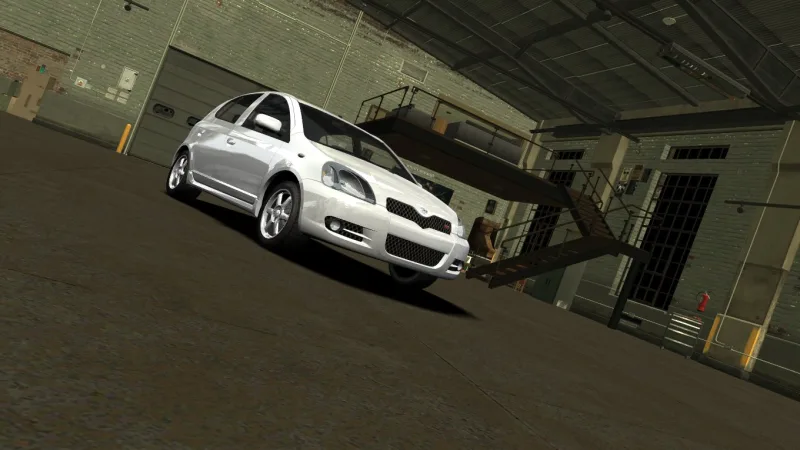
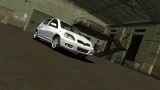
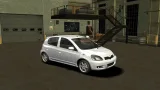
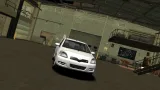
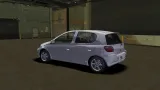
Toyota Vitz RS XP10 (MW and World)
Screenshots (13)
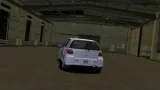
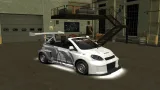
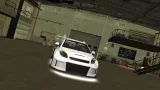
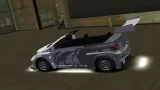
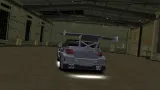
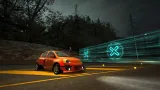
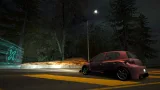
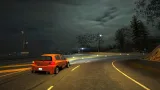
Description
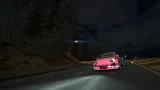
Toyota Vitz RS 1.5 (XP10) for NFSMW 2005 and NFS World (replaces the VW GTI Mk1 and an experimental mod for NFSW. Expect bugs)
My just for fun mod
Base model: https://sketchfab.com/3d-models/toyota-vitz-0d1428782a5f4cf69efd8a15744e1d49
Customizations:
NFSMW:
- 6 Body kits
- Spoilers + 6 customs
- Rims + 3 customs
- 36 Hoods
- Roof scoops
- 6 Roofs
- 6 Caliper colors
- 4 Headlights
- 4 Brakelights
- 6 Side mirrors
- Performance
- Visual
NFSW:
Pretty much the same as the vanilla VW GTI Mk1
Bugs:
- Inaccurate performance and sound
- Untextured interior
- Some minor bugs
Installation:
NFSMW:
0. Install NFMW Unlimiter to your game first
1. Extract this car zip file somewhere
2. Open Binary, choose User Mode, open the extracted zip folder, click the un_install.end, select your game directory, then choose Install Car (x512/x1024 vinyls). After that, save file
3. Open OGVI/VltEd, open your game in it, go to File, Import, ModScript, click the OGVI_VltEd.nfsms, then choose Install. After that, save file
4. Run game, then create new save to see and use the car. Or use SavePatcher/ZMenu to put the car in existing save
NFSW:
1. Extract this car zip file somewhere, and open the extracted zip folder
2. Go to World folder, Drag the GTIMK1 folder to your NFSW CARS folder and replace everything
3. Go to NFS-VltEd, open your NFSW folder, import wheels_offset.nfsms, choose "Vitz Wheels"
Uninstallation:
NFSMW:
1. Open Binary, choose User Mode, locate the extracted zip folder, click the un_install.end, select your game directory, then choose Uninstall. After that, save file
2. Open OGVI/VltEd, open your game in it, go to File, Import, ModScript, click the OGVI_VltEd.nfsms, then choose Uninstall Car. After that, save file
NFSW:
1. Open the extracted zip folder
2. Go to World and GTIMK1 - Original folder, drag all the files to your NFSW GTIMK1 folder and replace everything
3. Go to NFS-VltEd, open your NFSW folder, import wheels_offset.nfsms, choose "GTI Wheels"
Changelog
-
Version 1.2
uploaded May 8, 2026
B345T uploaded a new version. The new file is 60.51 MB.
- Fixed bugs on World version -
Version 1.1
uploaded May 8, 2026
B345T uploaded a new version. The new file is 49.81 MB.
- Flipped the interior so the car becomes RHD
- Nerfed the car stock performance
- Fixed some minor bugs
- Did some minor changes
- Added NFS World version -
Initial version
uploaded April 28, 2026
B345T, Steven CG uploaded initial version. The original file is 49.81 MB.
Random NFS Addon
Newest Addons
- Most Wanted Chloe Collection
- Most Wanted Multi-Layer Vinyls
- Custom/Random license plates
- Lamborghini Diablo SV (Racer & Pursuit)
- Cop/Police Nissan GTR Proto COPPROTO (ADDON)
- 2005 Vauxhall Monaro VXR (V2)
- Enable Single Player on All Events
- RPD 2016 Ford Police Interceptor Utility (Addon)
- Audi RS6 Avant C8
- Nissan Altima 3.5 SE (L32)
Latest Updates
- Ford Mustang 3 in 1 pack
- Nissan Altima 3.5 SE '07
- Cop/Police Shelby Daytona Coupe COPCOBRAD (ADDON)
- Cop/Police Lamborghini Countach 5000QV COPCTACH (ADDON)
- Cop/Police Charger06 COPCHARGER06 (ADDON)
- NFS.onl Software: kickStart Netplay Launcher & Lap Recorder
- Ford Mustang 3 in 1 pack
- Nissan Altima 3.5 SE '07
- 2005 Vauxhall Monaro VXR (V2)
- Improvements for Extended Paints
Comments 5
More customisatioin in the future??
WHATS HIS DEALER?
TAKIN THE PISS
IVE BEEN STANDING HERE
FOR 30 MINS
Why's this dealer taking the piss?
I've been standing here for thirty mins
Why's this dealer taking the piss?
I've been standing here, I need my thingsI'm outside Pets at Home tryna find my dealer
He's in a Vauxhall Zafira, custom rims and a half-a-litre engine
But I just keep forgetting
I kinda wanna bell him but I've already belled him
He gets annoyed with how much I bell him
I just wanna tell him, what is the ETA?
I've been here pretending to be on my phone
I've got zero data, I'm scrolling notes
Pets at Home but they don't let pets in
I spent fifteen minutes on settings
I'm in Dunelm just looking at bedding
For a single bed that I rent in Epping
I'm dreading for him to come but don't wanna text himWhy's this dealer taking the piss?
I've been standing here for thirty mins
Why's this dealer taking the piss?
I've been standing here, I need my thingsWhere's this guy, man? Let's get to it, like
What the fuck is he doing?
I see him speeding, driving fast
Overtaking cars like Max did Lewis
Should I mention dangerous driving?
I think I'll just remind him
He almost killed the guy behind him
But he sells things that I need buying
He says, "Sorry to keep you waiting, I understand that it's raining"
I said, "No need to explain it, I know that your job is draining"
He said, "Nah man, I'm not complaining, I've been sat at home just gaming
The new God of War's amazing and I've been dabbling in"Why's this dealer taking the piss?
I've been standing here for thirty mins
Why's this dealer taking the piss?
I've been standing here, I need my things
Why's this dealer taking the piss?
I've been standing here for thirty mins
Why's this dealer taking the piss?
I've been standing here, I need my things
Error: You must be logged in to comment on this car.
Not registered yet? Register here. It only takes 30 seconds.
Forget your password? Find it here.