Recent activity on NFSAddons
Need for Speed The Need For Speed II Downloads
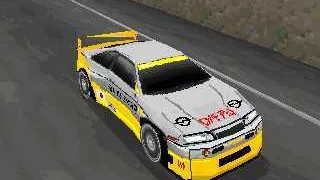
Opel Calibra
AuthorMattheüs Patty
Added On
July 15, 2022
Version
The Need For Speed II
Brand
Opel
Views
5,243
Downloads
191
Favorited
0 times
Description
How to install:
Download CarEditor:http://nfsa.ca/f7201
If you have NFS2:
Unzip downloaded cars.
Load one of them into CarEditor.
Select "File->NFS2 Save As".
Go into "your Need For Speed 2 path"/GameData/CarModel/PC directory.
Choose one of the cars (i.e ff50.geo for Ferrari F50) and press save.
If you have overwritten Ferrari F50, then start the game and select Ferrari F50.
If you have NFS2 SE:
Unzip downloaded cars.
Load one of them into CarEditor.
Select "File->NFS2SE Save".
Input path of NFS2SE (usually C:\Need For Speed II SE\)
Press "Apply" button.
Now select one of the racing cars and press save (i.e. ff50.geo for Ferrari F50)
If you have overwritten Ferrari F50, then start the game and select Ferrari F50.
Random NFS Addon
Newest Addons
- Chloe's Extended Geometry Tool
- Heat Soundtrack - Add your own music
- NFSMW Cheat Menu + FPS Overlay (.asi file)
- 1971 Plymouth Cuda Convertible - 426 Hemi "Hemi Cuda" + 440-6 "Six-Barrel Cuda"
- NFSMW WideScreenMode
- Phantom
- Audi R8 V10 5.2 FSI
- Bonus Porsche + Porsche 911 Turbo
- Bonus Porsche
- Koenigsegg CCX
Comments
No comments yet. Be the first to add one!
Error: You must be logged in to comment on this car.
Not registered yet? Register here. It only takes 30 seconds.
Forget your password? Find it here.