Recent activity on NFSAddons
Need for Speed Underground 2 Downloads
Bayview Forever Patch
Description
Bayview Forever
by Broski280
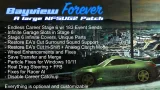
Bayview Forever is a massive patch for Need for Speed Underground 2 that corrects the complete lack of an endgame, fixes several issues, restores cut features, and adds a few optional immersion tweaks. The mod does not interfere with the balance or progression of the game's playthrough from Prologue through Stage 5. You can install this from the get-go to enjoy the other enhancements or even get some extra rewards upon completion of the game for some people.
Everything is optional and customizable via the ini. Disable any features you don't want, tweak how they work, payouts, difficulty, etc. Surround, H-Shift, and Respawn at Garage are off by default.
Feature Overview
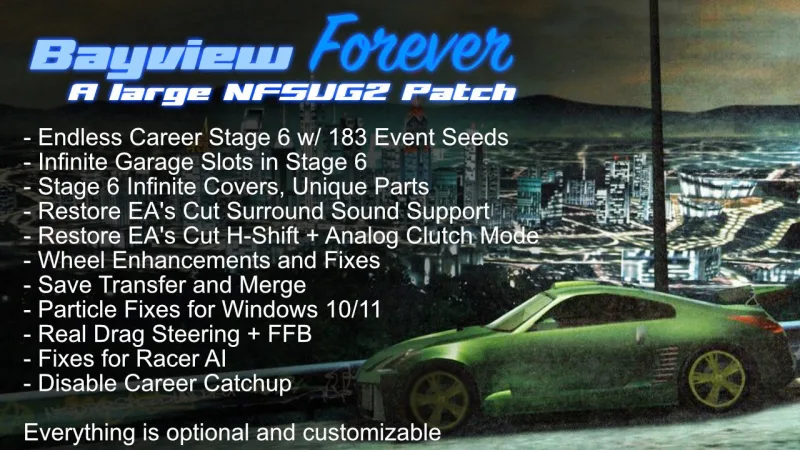
- Endless Career Stage 6 w/ 183 Event Seeds. Events won't repeat until you complete all of them in a region. Any tracks and reverse layouts that are not seen in the original career are now in rotation. You can customize the amount of events at a time available per region. Racer AI difficulty is fully adjustable and customizable even down to the specific race types for Stage 6. You can also customize the race lengths (which by default are far more reasonable than the career defaults). This does not affect earlier stages. Rewards are also adjustable. Rachel's Congratulations text no longer references the empty world after beating Caleb. In addition, she lets you borrow her three cars now (including a fixed version of her cut Evo). Winning races progresses you towards getting magazine and DVD covers, and for every race you win a money pickup will respawn in Free Roam. Events not completed show with the Sponsor Race X icon, events that are repeating will be the usual donut circle. Note: URL races never had sponsor icons, so those will always be circles. Optionally, you can disable the X for new routes and set a higher payout for sponsor races, which then gives you "fake sponsor races" of sorts. This is due to the fact that the patch is reusing the old event start locations from all previous stages.
- Infinite Garage Slots unlock in Stage 6 for you to purchase cars for (yes, I said purchase, but the first 5 slots are free just like Vanilla). Prices are handled by the stage the car unlocked in, and the prices are customizable. You can also just make them free if you want. In your garage's car select screen, highlight a slot and use UP / DOWN to cycle through the cars stored in Bayview Forever's Virtual Garage for your save. Press Accept to swap the shown car into that slot. The car that was there moves to the Virtual Garage for you to retrieve later.
- Stage 6 Infinite Covers, Unique Parts that are unlocked per car. Get DVD and Magazine covers by winning races, and get unique parts by winning Outrun events. Both performance and visual unique parts (hoods, rims, spoilers, vinyls, widebody kits) are in rotation. You can customize the number of wins needed, and disable the timed race to the shop or to the photographer. DVD and Magazine payouts will multiply based on the number of stars in your car's visual rating.
- Restore EA's cut Surround Sound Support with additional fixes for Hood camera. When enabled in the ini, this replaces the in-game Stereo option under Audio settings. The game natively supports up to 5.1, it just never shipped in the PC version for some reason. Optionally additional per speaker customization and subwoofer boosts are available. Additionally you can adjust engine sound positioning (related to the hood fix I mentioned), and, if you are like me and love the sound of a turbo spooling and a loud blow-off valve sound, those can also be made louder (the turbo volumes also work on non-surround setups: enable the surround feature and set the channel count to 2; engine placement, engine volume and the speaker balance need 4 or 6 channels). Available channel modes are 2 (stereo), 4 (quadraphonic), and 6 (5.1). One note: DO NOT INSTALL DSOAL. The PCGamingWiki said that the game used DirectSound3D and EAX effects. It uses neither, and installing DSOAL re-mixes the game's 6 channels and smears the speaker separation. Surround sound is off by default in the ini, since 5.1 setups are pretty niche amongst PC users.
- Restore EA's cut H-Shift + Analog Clutch Mode with additional fixes to make reverse handle realistically and a customizable penalty for shifting without the clutch (the engine bogs down for a moment). Why this was cut from the game is beyond me, but it was still there and completely intact, just mildly buggy and not available to select in-game. Additionally I needed to add some overrides to make this work in Drag races, so I'm guessing they were going to keep it out of drag races initially. Use Windows' Game Controllers screen to figure out the button numbers to bind in the ini. Button defaults in the ini are for a Logitech G27. This feature is off by default in the ini since it replaces the regular Manual shifting that gamepad users would be using.
- Wheel Enhancements and Fixes. Unlocks the game's own steering curve and speed sensitivity for linear steering, higher rotation and adjustable speed sensitivity, and adds full-resolution steering, a center spring, a minimum force and FFB fixes (including for the vanilla game's tendency to clip... badly). The wheel settings that should have been available in-game are now all tweakable outside of the game through the ini. Wheels only: gamepads and keyboards are not affected. Default settings in the ini were tuned on a Logitech G27 at 450 degree rotation. Belt or direct-drive wheels: set MinimumForce to 0.
- Save Transfer and Merge (optional, separate download). If you have been creating new saves to keep replaying the game all these years, you can now merge them all into one save by converting the additional cars to Bayview Forever's Virtual Garage format and transferring the money to one save.
- Particle Fixes for modern systems. This fixes the severe stuttering experienced when enabling particles. There's no visual difference to the particles, they are just far better optimized now. I also recommend lowering road reflection quality down one notch from the highest setting. Not only does that also add some stuttering, but I think it looks better than the highest setting.
- Real Drag Steering + FFB. This option replaces the game's slot car style steering and gives you full control, and also restores FFB to the mode. It is a lot more fun in my opinion, however it is easier to hit the barriers on the Airport drag races, and you can also accidentally go the wrong way on the Freeway drag races (follow the Stadium sign to go the right way).
- Fixes for Racer AI. This helps reduce the amount of times the Racer AI tries to PIT maneuver you or cause a demolition derby at the start line by going into blocking mode whenever near you. They still do it occasionally, but it is far reduced now. INI settings are available for you to tinker with.
- Disable Career Catchup aka rubberbanding. Completely optional, and it seems like the AI is surprisingly much faster with catchup disabled. You may need to drop your difficulty a little if you enable this.
- Respawn at Garage. A small immersion feature: loading your profile or using Quit to Main Menu starts free roam at your garage instead of where you last were. Shops and races still put you back where you were. Off by default.
Requirements
- v1.2 No-CD Exe (MD5: 878678327c1aa744f2fe248cba081c86, or HOODLUM's v1.2 No-CD: 6445adbf4e8d64be51e96a69bba168a4). The mod will not activate on any other exes.
- An ASI loader (not included). If you use ThirteenAG's Widescreen Fix or ExOpts, you already have it. Otherwise grab Ultimate ASI Loader from ThirteenAG's GitHub (the x86 version, dinput8.dll) and put it next to speed2.exe.
Installation
Make sure the ASI loader is installed, then drop the scripts folder into the root of your NFSUG2 folder. Go into scripts and read through the ini, and adjust the settings to your liking. I recommend creating backups of your saves; the optional NFSU2 Save Transfer download (in the files section) can do the backups and also merge saves.
Compatibility with Other Mods
This mod was tested with and is confirmed compatible with ThirteenAG's Widescreen Fix and ExOpts. It should be compatible withmost mods, including ones that change career events (as long as they don't touch Stage 6... which from what I've seen, no mods do).
Issues?
Any issues, let me know. Logs are helpful: the log is BayviewForever\BayviewForever.log in your game folder, and at the bottom of the ini in the debug section you can enable many specific log types for the various features in the mod.
Random NFS Addon
Newest Addons
- 2025 Fiat Grande Panda
- Vauxhall Monaro VXR (NFS Edition)
- Bayview Forever Patch
- Xbox 360 Converted Cars
- 2026 Ferrari CZ26
- 2023 Porsche Mission X
- BMW M3 GTR 30th Anniversary Edition livery for nfs mw2012 + UV Template
- BlackRidge Rivals: Kawaii Kim
- BlackRidge Rivals: Light, Camera, Traction!
- BlackRidge Rivals: NFS Payback
Comments
No comments yet. Be the first to add one!
Error: You must be logged in to comment on this file.
Not registered yet? Register here. It only takes 30 seconds.
Forget your password? Find it here.