Recent activity on NFSAddons
Need for Speed Underground 2 Downloads
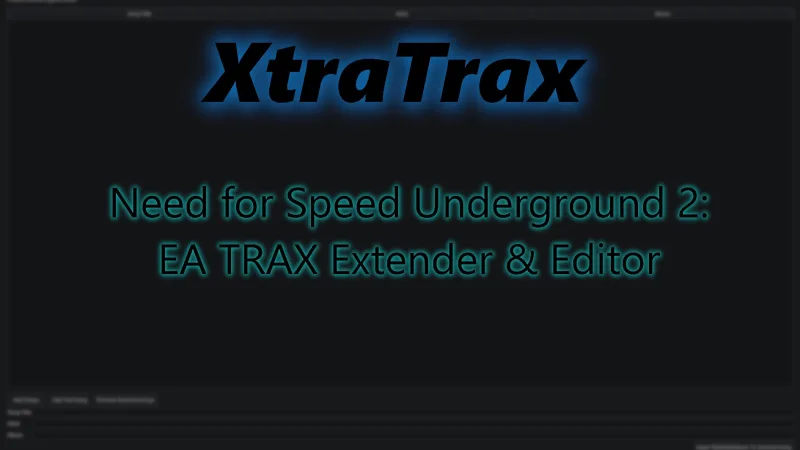
XtraTrax
AuthorRadeonChan
Added On
September 15, 2026
Version
Underground 2
File Size
36.68 MB
Views
1,071
Downloads
112
Favorited
1 times
Screenshots (4)
Description
Patch Notes - 0.3.11
XtraTrax
GitHub / Source Code:
github.com/RadeonChan/XtraTrax
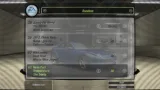
XtraTrax is an EA TRAX extender and custom music tool for Need for Speed: Underground 2.
XtraTrax removes the retail game's 27-track EA TRAX limit, allowing the soundtrack to be expanded to up to 127 tracks.
Supported audio formats:
XtraTrax also allows you to customize the Title, Artist, and Album metadata displayed in the in-game EA TRAX menu before patching your soundtrack.
Compatibility
XtraTrax has currently been tested with:
Additional game versions and distributions are planned for future releases.
An ASI loader is required. Please see the included README for prerequisite and installation information.
Installation & Usage
1. Extract the XtraTrax ZIP archive to a location outside of your Underground 2 installation folder.
2. Launch XtraTrax.exe.
3. Select your Need for Speed: Underground 2 installation folder. XtraTrax will display an error if it detects an unsupported version.
4. Select the music files you wish to add to Underground 2.
5. Optional: Click "Add Test Song" to add the included test track and see an example of properly formatted metadata.
6. Select a song from your list and edit its metadata for display in the in-game EA TRAX menu.
7. Click "Apply Title/Artist/Album to Selected Song" to save your metadata changes.
8. Click "Apply Patch" and allow XtraTrax to patch your custom tracks into Underground 2.
9. To remove all custom tracks, click "Restore to Default". XtraTrax will remove the added songs and restore Underground 2's original soundtrack configuration.
XtraTrax does not include or redistribute Need for Speed: Underground 2's original soundtrack files.
Please make a backup of your game installation before using any modification tool.
- Reduced playlist size by storing added songs as compressed audio.
- Compatible MP3s import without another lossy encode.
- Fixed subtle audio artifacts in compressed playback. (This exposed a 22-year-old bug in Black Box's audio codec... fun stuff.)
- Fixed oversized-playlist errors. Playlists exceeding the game's 2 GiB soundtrack limit now stop before installation instead of just crashing.
- Added Select All, Ctrl+A, and a scrollbar to the song list.
- Added shiny blue glass-style progress bars for the current track and total preparation. It's 2005 and you just downloaded some proprietary iTunes ripoff onto the family computer.
- Improved the method for checking volume-matched audio peaks after encoding. This should lead to less ducking on songs with quieter sources.
XtraTrax
GitHub / Source Code:
github.com/RadeonChan/XtraTrax
XtraTrax is an EA TRAX extender and custom music tool for Need for Speed: Underground 2.
XtraTrax removes the retail game's 27-track EA TRAX limit, allowing the soundtrack to be expanded to up to 127 tracks.
Supported audio formats:
- MP3
- WAV
- FLAC
- OGG (Vorbis)
XtraTrax also allows you to customize the Title, Artist, and Album metadata displayed in the in-game EA TRAX menu before patching your soundtrack.
Compatibility
XtraTrax has currently been tested with:
- US 1.2
- LGU Repack
- MagiPack
Additional game versions and distributions are planned for future releases.
An ASI loader is required. Please see the included README for prerequisite and installation information.
Installation & Usage
1. Extract the XtraTrax ZIP archive to a location outside of your Underground 2 installation folder.
2. Launch XtraTrax.exe.
3. Select your Need for Speed: Underground 2 installation folder. XtraTrax will display an error if it detects an unsupported version.
4. Select the music files you wish to add to Underground 2.
5. Optional: Click "Add Test Song" to add the included test track and see an example of properly formatted metadata.
6. Select a song from your list and edit its metadata for display in the in-game EA TRAX menu.
7. Click "Apply Title/Artist/Album to Selected Song" to save your metadata changes.
8. Click "Apply Patch" and allow XtraTrax to patch your custom tracks into Underground 2.
9. To remove all custom tracks, click "Restore to Default". XtraTrax will remove the added songs and restore Underground 2's original soundtrack configuration.
XtraTrax does not include or redistribute Need for Speed: Underground 2's original soundtrack files.
Please make a backup of your game installation before using any modification tool.
Random NFS Addon
Newest Addons
- Porsche 911 Turbo (993)
- NFS4 styled track vidwalls and loading screens.
- 2024 Lotus Emeya R (Modloader/Addon)
- TemuRTX Visual Update for NFSMW v.4090 by Takise.
- 2019 McLaren Senna (Modloader/Addon)
- 1984 Ferrari Testarossa (Modloader/Addon)
- 1997 Porsche 911 GT1 Straßenversion (Modloader/Addon)
- 1989 Audi 90 quattro IMSA GTO (Modloader/Addon)
- Circuit to Knockout
- Ferrari 512BB
Latest Updates
- Zanoza Zmodeler 1.07b Wavefront OBJ Import/Export filter
- Nissan Versa SL
- Ferrari 512BB
- 2019 Hyundai Veloster N (Addon/Replace)
- Nissan Versa SL
- Zanoza Zmodeler 1.07b Wavefront OBJ Import/Export filter
- Zanoza Zmodeler 1.07b Wavefront OBJ Import/Export filter
- Lamborghini Estoque (ADDON)
- Zanoza Zmodeler 1.07b Wavefront OBJ Import/Export filter
- Zanoza Zmodeler 1.07b Wavefront OBJ Import/Export filter
Comments 6
Zakkey76 Actually just released one for MW! Go check his out
Error: You must be logged in to comment on this file.
Not registered yet? Register here. It only takes 30 seconds.
Forget your password? Find it here.