Recent activity on NFSAddons
-
 New addon
Updated: Unbound Soundtrack - Add Your Own Music
-
 Forum post
Re: Who made the 9/11 ribbon for us just after Septe...
-
 Comment
Re: Palmont Graphics House
-
 Comment
Re: North Country (higher-res)
-
 Comment
Re: SunSet and more for Rework 4.0 (TemuPlak v1.0 by Takise).
-
Comment
Re: SunSet and more for Rework 4.0 (TemuPlak v1.0 by Takise).
Need for Speed Underground Downloads
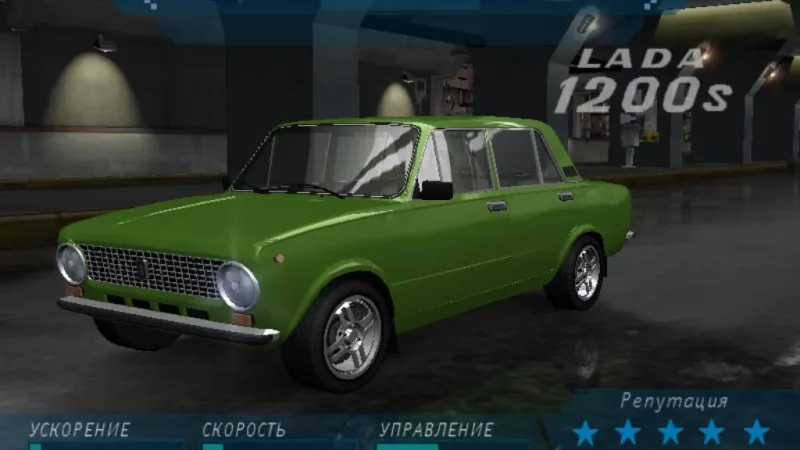
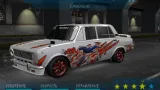
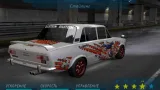
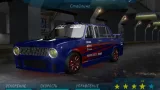
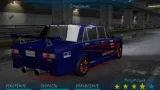
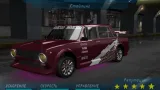
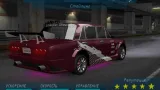
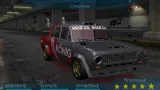
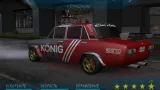
1980 Lada 1200s
AuthorEevee
Added On
March 14, 2019
Version
Underground
Brand
Lada
Replaces
Mazda Miata (MX-5) (MIATA) Find more cars that replace it
Views
8,776
Downloads
1,912
Favorited
0 times
Screenshots (14)
Description
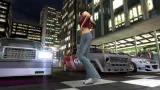
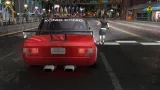
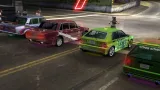
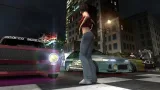
This car was converted from Lada Racing Club and GTA San Andreas by YochiThMaster333 aka Eevee (me).
Replaces: Mazda Miata MX-5
Tuning:
- Front Bumpers
- Rear Bumpers
- Side Skirts
- Spoilers
- Hoods
- Roof Scoops
- Wide Bodykits
- Rims
- Neon Glow
- Headlights
- Taillights
- Muffler Tips
- Window Tint
- Paint
- Decals
- Vinyls
- Performance
Features:
- NFS:UC driver model
- Stock green color
Known bugs:
- Manufacturer logo will also change on RX-7
Install:
1. Extract MIATA folder into game directory/CARS
2. Run NFS-CfgInstaller.exe, find path to game directory and choose vaz2101_install.u1car
3. With NFS TexEd, open FrontB.lzc, find textures ID 368 and 277 (83 if you have European version), and replace with CARSELECT_MANUFACTURER_MAZDA.dds and SECONDARYLOGO_MIATA.dds respectively. Save
4. Run the game and choose Mazda Miata MX-5. Lada 1200s will be visible instead of Mazda Miata MX-5.
FAQ:
Q: What is game directory?
A: That's the folder where your NFSU1 installed
Uploaded on:
nfsaddons.com (this site)
nfscars.net
nfsmods.xyz
Please don't reupload to these sites.
Thanks to:
nfsu360 for his NFSU1 ModTools
Oleg M. for Zmodeler
Replaces: Mazda Miata MX-5
Tuning:
- Front Bumpers
- Rear Bumpers
- Side Skirts
- Spoilers
- Hoods
- Roof Scoops
- Wide Bodykits
- Rims
- Neon Glow
- Headlights
- Taillights
- Muffler Tips
- Window Tint
- Paint
- Decals
- Vinyls
- Performance
Features:
- NFS:UC driver model
- Stock green color
Known bugs:
- Manufacturer logo will also change on RX-7
Install:
1. Extract MIATA folder into game directory/CARS
2. Run NFS-CfgInstaller.exe, find path to game directory and choose vaz2101_install.u1car
3. With NFS TexEd, open FrontB.lzc, find textures ID 368 and 277 (83 if you have European version), and replace with CARSELECT_MANUFACTURER_MAZDA.dds and SECONDARYLOGO_MIATA.dds respectively. Save
4. Run the game and choose Mazda Miata MX-5. Lada 1200s will be visible instead of Mazda Miata MX-5.
FAQ:
Q: What is game directory?
A: That's the folder where your NFSU1 installed
Uploaded on:
nfsaddons.com (this site)
nfscars.net
nfsmods.xyz
Please don't reupload to these sites.
Thanks to:
nfsu360 for his NFSU1 ModTools
Oleg M. for Zmodeler
Random NFS Addon
Newest Addons
Latest Updates
- Unbound Soundtrack - Add Your Own Music
- NFSMW Extended Brakes
- Acura NSX NA2 (Extended Customizations)
- Unbound Soundtrack - Add Your Own Music
- North Country (higher-res)
- North Country (higher-res)
- Unbound Soundtrack - Add Your Own Music
- [PS1] NFS:HS Complete Edition
- 1971 Plymouth Cuda - 426 Hemi "Hemi Cuda" + 440-6 "Six-Barrel Cuda"
- Kindiak Park HD+
Comments 1
Error: You must be logged in to comment on this car.
Not registered yet? Register here. It only takes 30 seconds.
Forget your password? Find it here.