Recent activity on NFSAddons

Need for Speed Rivals Downloads
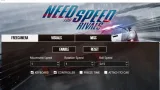
NFS Rivals Cinematic Tools (Fixed)
Description
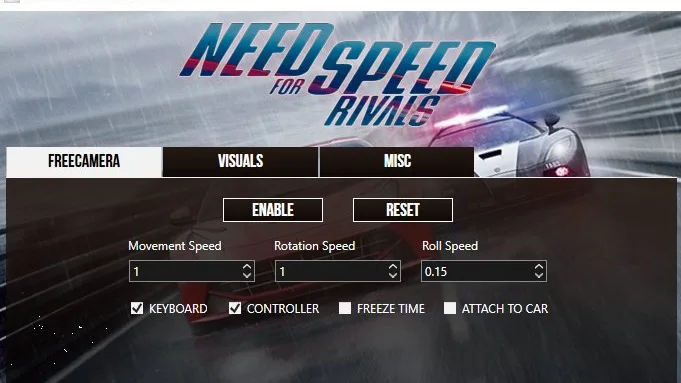
How to use Cinematic Tools:
1. Set everything to run as administrator. That is "NFS14.exe" and "NFS Rivals Cinematic Tools.exe". Right-click them, go to Properties -> Compatability and check "Run this program as an administrator.
2. Open the game and the tools
3. A console window should show up briefly after both the game and the tools have been opened.
4. After you see a green text "GUI Found" in the console, you're good to go.
5. Experiment and make cool screenshots or videos :)
======================================
Known problems and solutions:
- .DLL doesn't inject / I get an error saying I'm missing MSVCP140.dll
Try installing vc_redist.x64.exe that came with the tools
======================================
Hotkeys:
INSERT = Enable camera
DELETE = Freeze time
HOME = Toggle UI
PAGE UP/DOWN = Change FOV. Be sure to raise it first (Page up) as the starting value is -1 (Decreasing first will flip the image)
Camera controls:
NUMPAD 8, 5, 4, 6 = Move camera Forward/backward/left/right
NUMPAD 9,7 = Move Up/down
NUMPAD 1, 2 = Roll camera
Arrow keys = Rotate camera
You can also move the camera with a controller once time is frozen
Random NFS Addon
Newest Addons
Latest Updates
- Audi R8 V10 5.2 FSI
- Tokyo SE (small AI fix)
- Atlantica Revisited 2.0
- North Country (higher-res)
- Nissan Skyline R32 GTS-T (UPDATED)
- NFSMW Cheat Menu + FPS Overlay (.asi file)
- Stance Mod NFSMW
- Lenco BearCat G2 Tactical Unit RPD & PPD Version
- NFS Carbon Overbright Mod for MW2005
- Need For Speed Most Wanted : Extreme Hard Final Pursuit (Heat 6)
Comments
No comments yet. Be the first to add one!
Error: You must be logged in to comment on this file.
Not registered yet? Register here. It only takes 30 seconds.
Forget your password? Find it here.