Recent activity on NFSAddons

Need for Speed Most Wanted Downloads
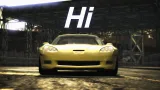
Corvette Z06 (C6) (Addon)
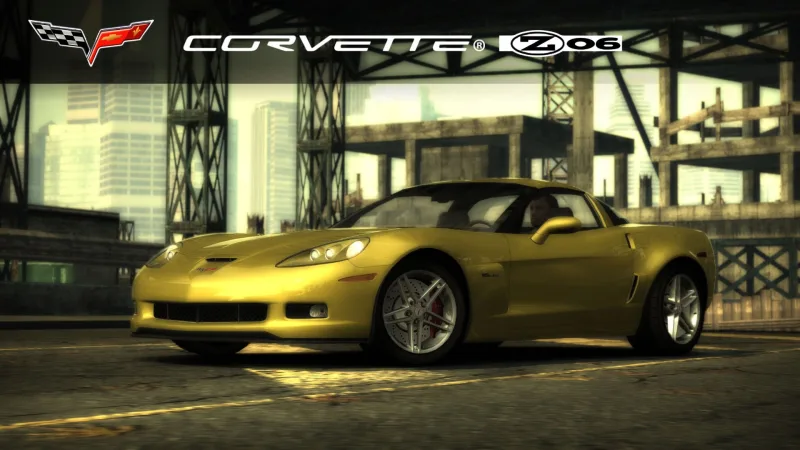
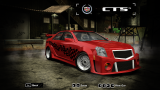
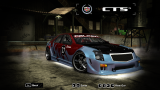
Screenshots (4)
Description
Corvette Z06 (C6) From NFS Carbon, NFS World
Requires:
- Binary
- VltEd/OGVI
- NFS Unlimiter
Features:
- VltEd & OGVI both supported.
- Custom performance data.
- Working headlight textures (on/off).
- Working brakelight textures (on/off).
- Available after beating Webster, Blacklist #5 in career mode.
- Cost $155,000
- Driver "Paul"
- LOD parts
- Damage (Scratches)
Parts:
- 5 Bodykits
- Spoilers
- Rims
- 12 Hoods
- Roof Scoops
Visual:
- Paint
- Vinyls: 512x and 1024x. Fully compatible with NFSMW Recompiled Vinyls (Bounty Hunter Cross vinyl included)
- Rim Paint
- Window Tint
- Decals
- Numbers
- Custom Gauges
Known Issues:
- Please report if you see any other issues.
Minor Issues:
- Fewer hood choices than the vanilla cars have.
Installation:
WARNINGS:
! If you have installed add-on cars via Ed or NFSMW ReCompiler before, this car may break your game.
Please backup these files before doing anything.
- Frontend: FrontA.bun, FrontB.lzc
- Global: Attributes.bin, FE_Attrib.bin, Gameplay.bin, Gameplay.lzc, GlobalB.bun, GlobalB.lzc
- Languages: Whole folder
! If you have NFSMW Mod Loader and replacement cars installed using it, please remove them.
This mod WILL BREAK Mod Loader compatibility.
1) Download and install the latest version of NFSMW Unlimiter (which should be v4).
2) Install required car data using Binary: (Compatible with v2.8.3 and up)
1) Download and install the latest version of Binary
2) Run Binary as administrator.
3) Select User Mode. (Tap/click the icon on left.)
4) Select the "Binary_setup.end" from the dialog and tap/click OK.
5) Select your game installation directory.
6) Installation prompt will appear. Choose "Install" to continue with the installation.
7) Wait for it to get installed.
8) When the file save prompt appears, tap/click Yes.
9) When the run game prompt appears, tap/click No.
10) Quit Binary.
3) Install required vault data using VltEd/OGVI
1) Download and install the latest version of VltEd/OGVI
2) Run VltEd/OGVI as administrator.
3) When the main window appears, select File > Open from the menu bar, or press "Ctrl+O".
4) A new dialog will appear. Choose your game installation directory.
5) Select File > Import > ModScript from menu bar, or press "Ctrl+I".
6) Select the "Vlted_setup.nfsms/OGVI_setup.nfsms" from the dialog and tap/click OK.
7) Mod script installation dialog will appear. Choose and tap/click Install to install the mod.
8) Save the files by selecting File > Save from menu bar, or pressing "Ctrl+S".
9) Quit VltEd/OGVI.
4) Run your game and create a new save game; or use a save patcher (not recommended).
5) Done. Enjoy!
Credits:
- Binary by MaxHwoy
- Binary Install Script Template by AJLethal
- Unlimiter & Binarius by Nlgxzef
- CarToolkit & VltEd by nfsu360
- OGVI v1.4 by ARCHIE
- HD Car logo from NFSC HD Car Logos by Madevi
Changelog
-
Version 1.3
uploaded September 13, 2026
balcone uploaded a new version. The new file is 23.95 MB.
- Fixed missing KIT04 DAMAGE0 FRONTLEFT part in DbModelParts.
- Adjusted some UV mapping for Body 1, Body 2, BASE, and Headlights.
- Adjusted engineaudio field.
- Added 4 hoods I prefer.
- Adjusted side mirror normals. -
Version 1.2.0.1
uploaded September 10, 2026
balcone uploaded a new version. The new file is 23.87 MB.
- Fixed ShiftSND issue in nfsms scripts. -
Version 1.2
uploaded September 6, 2026
balcone uploaded a new version. The new file is 23.87 MB.
- Moved some markers and cleaned up the mess I made. (oops)
- Fixed door line clipping on Body 5. -
Version 1.1
uploaded September 6, 2026
balcone uploaded a new version. The new file is 23.87 MB.
- Fixed a UV mapping issue for Body 3.
- Adjusted tire width for Body 5. -
Initial version
uploaded September 1, 2026
balcone uploaded initial version. The original file is 23.87 MB.
Random NFS Addon
Newest Addons
Latest Updates
- BMW M3 GTR 30th Anniversary Edition livery for nfs mw2012 + UV Template
- 2005 Buick Park Avenue
- 2017 Kia Picanto GT-Line (Addon/Replace)
- 2011 Peugeot 508 GT HDi
- 2014 Mercedes-Benz C63 AMG DTM
- 2022 RAESR Tartarus
- 2014 Ferrari LaFerrari (Addon)
- 2017 Kia Picanto GT-Line (Addon/Replace)
- Improvements for Extended Paints
- BMW M3 GTR 30th Anniversary Edition livery for nfs mw2012 + UV Template
Comments 3
Error: You must be logged in to comment on this car.
Not registered yet? Register here. It only takes 30 seconds.
Forget your password? Find it here.