Recent activity on NFSAddons
-
showroom
 Showroom
Bugatti W16 Mistral
Showroom
Bugatti W16 Mistral
-
 Comment
Re: 2023 Bugatti W16 Mistral
Comment
Re: 2023 Bugatti W16 Mistral
-
 Comment
Re: "Rockport-ified License Plates" Lore-Friendly Pack
Comment
Re: "Rockport-ified License Plates" Lore-Friendly Pack
-
 Comment
Re: 2020 Chevrolet Corvette C8.R (Add-on) (Unlimiter v4 Supported)
Comment
Re: 2020 Chevrolet Corvette C8.R (Add-on) (Unlimiter v4 Supported)
-
 Comment
Re: decel gin restoration
Comment
Re: decel gin restoration
-
Comment
Re: 2020 Chevrolet Corvette C8.R (Add-on) (Unlimiter v4 Supported)
Need for Speed High Stakes Downloads
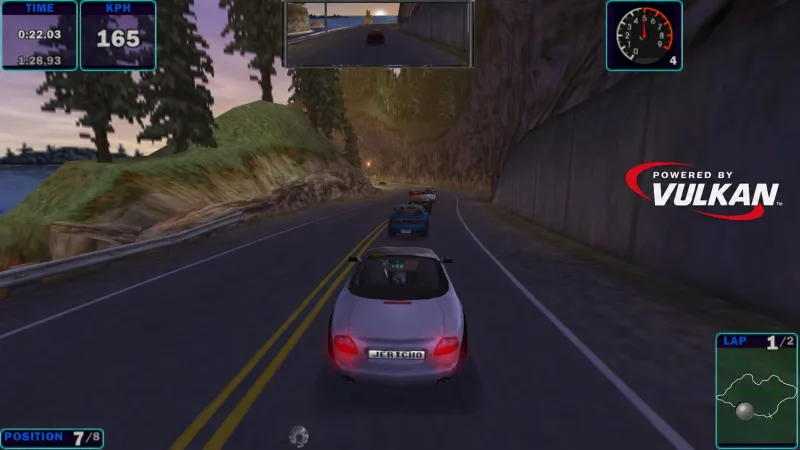
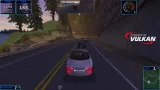
Vulkan Thrash Driver + Uncapped FPS + Widescreen Patches (All-in-One)
AuthorUltra Jericho
Added On
September 8, 2026
Version
High Stakes
File Size
588.46 KB
Views
2,792
Downloads
355
Favorited
5 times
Screenshots (6)
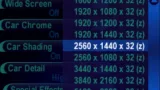
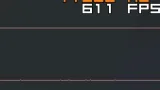
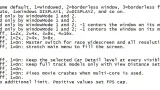
Description
Features
- Native Vulkan rendering via THRASH driver interface.
- Uncapped FPS timing and frame pacing fixes without breaking game physics.
- Automatic native widescreen support with aspect-corrected camera FOV and compatible HUD.
- Configurable MSAA (Off/2x/4x/8x) and Anisotropic Filtering (Off/2x/4x/8x/16x).
- Windowed, borderless, desktop fullscreen, and exclusive fullscreen display modes.
- Full support for in-game visual settings (gamma correction, Z-buffer, projected headlights, fog, lens flare...).
- Z-fighting fix
- Multi-Monitor support.
- Multi-core CPU movie fixes.
- Fixed LODs
- Hi-res Main Menus
Requirements
- A GPU and graphics driver supporting Vulkan.
- Any game version with 4.50 patch (except jap version).
Read README in zip file for installation.
Credits
- Developed by Ultra Jericho.
- Testing: Scarecrow.
- Watcom calling conventions: https://github.com/open-watcom/open-watcom-v2
Changelog
-
Version 4
uploaded October 15, 2026
Ultra Jericho uploaded a new version. The new file is 588.46 KB.
2026.10.15.4
- Reworked the FPS patch for smoother gameplay, cameras and replays above 64 FPS.
- Fixed recurring input lag during online races (hope it’s fixed this time).
- Optimized rendering, texture updates and projected headlights.
- Improved main menu framepacing.
- Fixed corrupted graphics and disappearing HUD, cars and breakable objects, especially in modded races.
- Fixed z-order issues in the rearview mirror.
- Reduced z-fighting on surfaces lit by projected headlights. Currently at the absolute min possible.
- Fixed analog speedometer scaling.
- Fixed rain and snow scaling when Fog or Z-Buffer is disabled.
- Added FixedCarLOD and FixedTrackLOD while keeping the game's detail settings. Note: These settings can cause 5-6% performance drop, and even more if you're using a modded game.
- FrontEndStretch was brought back due to the previous version issue. -
Version 3
uploaded September 26, 2026
Ultra Jericho uploaded a new version. The new file is 510.34 KB.
Version 2026.9.26.3
- Fixed issue where the game gets stuck on blackscreen on some PCs.
- Fixed an issue where the FPS patch caused massive input lag in races after the first one during online races.
- Fixed an issue where fog glitched on the horizon on certain tracks.
- Added multi-monitor support.
- Removed unnecessary stuffs causing bottlenecks. Expected to deliver 2-5x more performance than before.
- Widescreen has been made more stable. Mouse, minimap/full map, police radar, tachometer's red needle, weather raindrops/snowflakes... are now properly scaled.
- Fixed the issue where the game launched with wrong resolution due to DPI.
- Fixed an issue where FOV was applied twice on some replay and finish cameras.
- Added two new resolutions: 2560x1600 and 3456x2160.
- Added support for EP/SP. Expected to work on native game installations as well.
- Made Fog button work across game versions.
- Added auto API version. Will try from 1.4 down to 1.0 until successful.
- Moved LogLevel, UncappedFPS and FPSLimit into [Misc].
- Params have been moved to vulkan.ini to avoid having to mess with registry in non-VEG game versions.
- Widescreen can now be disabled via ini.
- Improved log readability. DPI setup failures now include the Windows error code. -
Version 2
uploaded September 12, 2026
Ultra Jericho uploaded a new version. The new file is 251.73 KB.
Version 2026.9.12.2
- Restored MAD video presentation for startup cutscenes.
- Fixed race loading slides so its backdrop remains visible during loading, including with
MSAA and anisotropic filtering enabled.
- Added a WSI compatibility fallback for a fullscreen blackscreen/crash issue.
- Fixed custom in-game resolutions being replaced by a default mode after a race/game restart.
- Improved race widescreen presentation.
- Applied fog to horizon and sky textures.
- Added optional MovieFixes=1 stream-teardown guards for systems that exhibit movie related
freezing/crashes. -
Version 2
uploaded September 12, 2026
Ultra Jericho uploaded a new version. The new file is 231.88 KB.
Version 2026.9.12.2
- Restored MAD video presentation for startup cutscenes.
- Fixed race loading slides so its backdrop remains visible during loading, including with
MSAA and anisotropic filtering enabled.
- Added a WSI compatibility fallback for a fullscreen blackscreen/crash issue.
- Fixed custom in-game resolutions being replaced by a default mode after a race/game restart.
- Improved race widescreen presentation.
- Applied fog to horizon and sky textures.
- Added optional MovieFixes=1 stream-teardown guards for systems that exhibit movie related
freezing/crashes. -
Initial version
uploaded September 8, 2026
Ultra Jericho uploaded initial version. The original file is 231.88 KB.
Random NFS Addon
Newest Addons
Latest Updates
- Audi RS6 Avant C8
- "Rockport-ified License Plates" Lore-Friendly Pack
- NFSMW HQ License Plates
- Lexus IS 350 (Addon)
- Ford Shelby GT500 Super Snake NFS Edition (Addon)
- ArabicNFSMW
- BMW M3 GTR 30th Anniversary Edition livery for nfs mw2012 + UV Template
- 2005 Buick Park Avenue
- 2017 Kia Picanto GT-Line (Addon/Replace)
- 2011 Peugeot 508 GT HDi
Comments 23
The game runs great on my computer. I don't know how many FPS it's running at, but it's very smooth and looks great. In the thrash.ini file, I can see that anisotropic filtering and anti-aliasing are enabled—you can really tell the difference.
Is it normal for cutscenes and loading screens not to work?
This issue is present for everyone since the release. Will be fixed in the next version.
Thanks for the improvements. Everything looks great and runs smoothly.
I'm now using version 2026.9.12.2, which, for me, is by far the best “trash driver” available for HS.
One question: Is there a way to run the game on my second monitor? It doesn't work with the Radeon settings.
I released an update for this, but it doesn't show up here yet.
I've now had a chance to try out version 2026.9.26.3. NFS4 now runs in 4K on my second monitor. No stuttering at all, not even when the race starts.
Yes, I play sometimes, but I don't find much time due to time constraints or working on big projects. Btw, if you haven't hear/tried it yet, EAOR is back. You can join online races on Retro Racing Point discord server. Registration currently goes through Discord, but with an upcoming launcher, you'll be able to register for both HS and PU directly."
Try v3. It should probably fix it.
Wow... I would say that this is the (almost) perfect renderer for NFS4.

It's superfast, it's easy to use, it features the first widescreen patch with a perfect FOW, a non stretched HUD and finally the sun has it's lensflare back.
What I like best is the fact that the menus keep their 4:3 resolution so all the background images don't get streched and the mouse cursor keeps it's normal way of travel what makes navigating the menus much less annoying.
Everything is just fantastic... BUT... There are 3 little flaws that bother me a bit:
1: - The intro movie does not play anymore - the sound still plays but we have no picture. Nevermind... it's not a big deal
2: - The fog does not work properly! - When activated, all the track poligons have a normal fog effect but the background image just gets lighter but does not get effected by the fog what makes the track blend in very badly. The sky does not get effected by fog aswell... no matter if you choose "fog: on" or "fog: track only":
see here:
https://www.directupload.eu/file/d/9404/e8hrcnrw_jpg.htm
3: - the car shadows do not work properly on tracks. The shadow underneath the car is MUCH lighter and softer than with other renderers as "Voodoo" or "NGlide" ...almost invisible. And there is some kind of an "artifact" that casts a shadow sideways from the car in both directions:
https://www.directupload.eu/file/d/9404/kdfr87r4_jpg.htm
Most issues were fixed in v2, but not sure about your last issue. I haven't seen this bug myself and no one reported it. It's likely related to a modded car or another mod.
But does anyone else have a buggy constantly changing sky on Snowy Ridge?
v3 should fix this.
I have some rendering problems with this mod
https://imgur.com/a/PUvQt1z
https://imgur.com/a/XgPtIhw
Anyway to fix?
PS: Both are tracks downloaded from this page - which don't have the same problem using dgvoodoo.
This is fixed with Version 4 uploaded October 15, 2026.
Just tried this renderer, it's perfection. I can't wait for the NFS3 version.
Good mod, Jericho! Game now run fine even on Linux with modded car`s.
Error: You must be logged in to comment on this file.
Not registered yet? Register here. It only takes 30 seconds.
Forget your password? Find it here.