Recent activity on NFSAddons
Need for Speed High Stakes Downloads
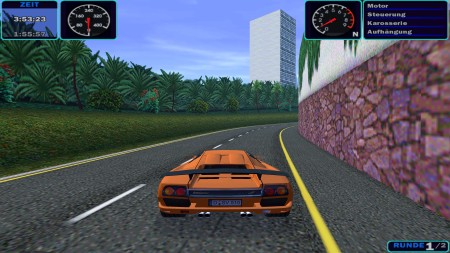
Lamborghini Diablo SV
AuthorMichael H.
Added On
January 16, 2026
Views
1,630
Downloads
163
Version
High Stakes
Brand
Lamborghini
Favorited
0 times
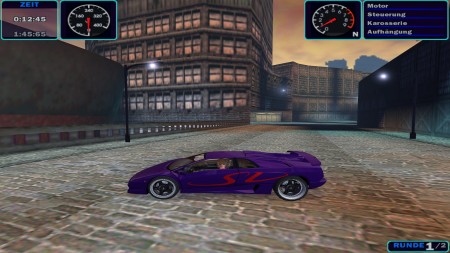
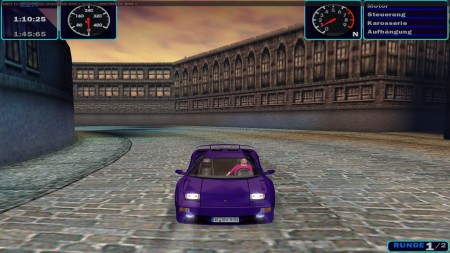
Additional Screenshots
NFS:HS Features
| Class | AA | Serial # | |
| Damage | Yes | Dashboard | New |
| Convertible | Vidwall | ||
| Windows | Clear | Licence Plate | Non-Editable |
| Top Speed | 0 mph 0 kmh |
Polycount | 8138 |
| Driver | Animated |
Description
Hello, I've canceled my NFSHS 2021 project.

Therefore, I'm posting bit by bit all my progress so far online.

The car simply needs to be extracted and placed in the NFSHS/Data/Cars folder.

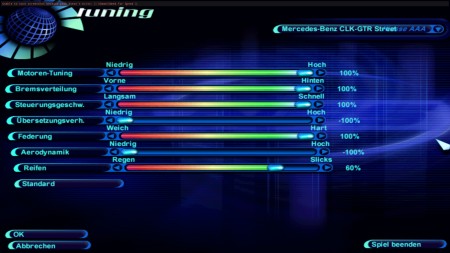
For realistic driving performance, use the tuning shown in the screenshot.

For further information, please read the readme file.

Enjoy
Random NFS Addon

Newest Addons
- BMW M3 E92 Extended Customization
- 2006 Ford GT (Gen 1)
- Snowy Ridge remastered
- Chevrolet El Camino SS (ADDON)
- Traffic Ford Crown Victoria (low poly)
- Sha_Do (Japenese Version) Car Logos
- T3ED 4.6.0 (438)
- Volkswagen Gol GTI (ADD-ON) (V1.3 Update for OGVI)
- RPD Mercedes-Benz SL65 AMG Black Series (Addon)
- Toyota MR2 (SW20) "B-Spec"
Visitor Comments
'On some cars it don't work'
That is my experience too. I was hoping you knew the trick. I can just put a light texture on it maybe.
It seems i've just found out why it works on some cars and why it doesn't on others:
1. Select the rear mirror's vertices in Zanoza Modeler 1.07b
2. Make them semi-transparent in the FCE Custom Settings under the "Plugins" tab
3. Click "Surface..." => "Mapping..." => "Reset UV"
This will reset/remove the UV mapping of the selected vertices. I've noticed this problem on C-959's 1995 Porsche 993 Carrera:
They've been red and not transparent before. First, i've made them transparent to see what happens. Then i got it the same state as of Michael's Diablo. Then i've simply removed/reset the UV mapping. I can't decide wether to make them black or leave them like this.
Error: You must be logged in to comment on this car.
Not registered yet? Register here. It only takes 30 seconds.
Forget your password? Find it here.