Recent activity on NFSAddons
Need for Speed Carbon Downloads
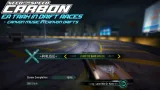
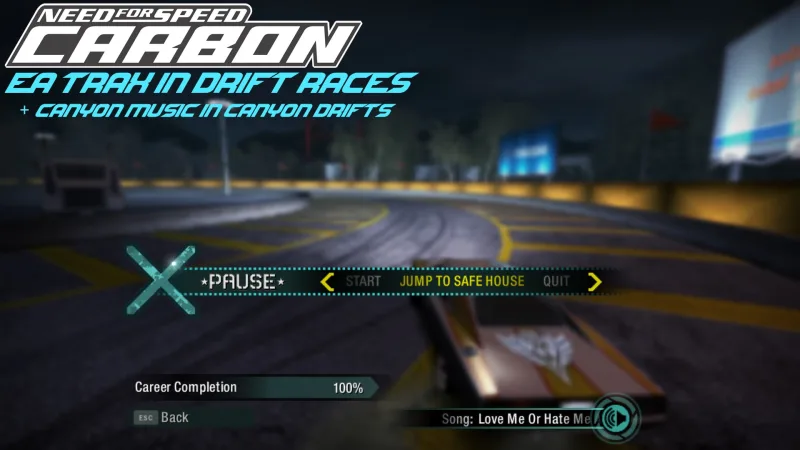
NFSC - EA Trax in Drift Races
Description
NFSC - EA Trax in Drift Races.
By El Nico.
Latest Update:
v1.1.2 - Attribulina support, Bug fix.
(dd/mm/yyyy)
(13/11/2026)
Scripts/Installation:
Added support for Attribulina.
Speedway/City Drifts:
Fixed a rare issue where licensed music sometimes wouldn't play.
If licensed music fails to play when the countdown starts, it will now play after the countdown.
You will need to update the following bytecode if you're using OGVI:
- driftrace/stategraph_basicrace_racing_handler_stateenter_play_music
______________________________________________________________________
Licensed music now plays in drift races on the drift course, and in city drifts.
Canyon music now plays in canyon drifts.
If you also want EA Trax in normal events, download this mod:
https://nfsmods.xyz/mod/1387
Installation:
You will need:
- Attribulator + OGVI or Attribulina
Part 1a: [Attribulina]
1. Open up Attribulina
2. Go File -> Open Folder, Navigate to your desired NFSC installation folder, then select the GLOBAL folder.
3. Click "Open Folder"
4. If a prompt appears asking you to select game type and platform, select Carbon PC for Game and Platform.
5. Click "Open"
6. Go File -> Run nfsms Script and select "OGVI Installer.nfsms"
7. Select "Install"
8. Click "Run"
9. Save Changes.
Part 1b: Adding the Lua source code [Attribulina]
In order for things to function properly,
you will need to import the script that adds the Lua source code to their respective messagehandler nodes.
They then get automatically compiled.
1. Go File -> Apply Script, and either double click "AttribulinaLua" or select it and press "Open"
2. A prompt should appear "Apply Script AttribulinaLua.amod"
3. Click "Apply"
4. Save Changes.
5. Enjoy :)
Part 1a: [Attribulator + OGVI]
1. Open up OGVI
2. Go File -> Import ModScript and select "OGVI Installer.nfsms"
3. Select "Install"
4. Click Import.
5. Save changes.
Part 1b: Adding the bytecodes [Attribulator + OGVI]
In order for the mod to work,
you will need to manually add the bytecodes to the correct messagehandler nodes.
If you don't do this part, or add it to the wrong node,
the game will crash upon trying to enter a drift race.
1. Within OGVI, go into gameplay > baseelement > messagehandler and double click on the following nodes:
- driftrace/stategraph_basicrace_countdown_handler_stateenter_play_music
- driftrace/stategraph_basicrace_initial_handler_stateenter_terminatemusic
- driftrace/stategraph_basicrace_racing_handler_stateenter_play_music
2. within each node, go to bytecode and press "Import binary file"
3. Go into the "BLOBS" folder and select the blob that matches the node name.
4. Either double click, or press "Open" on the blob that matches the node name.
5. Make sure you've done this step for all 3 nodes, and MAKE SURE the names of the blobs match the names of the messagehandler nodes.
6. Save changes and exit.
7. Enjoy :)
But what about VltEd support?
The installation script itself isn't very large, so you can easily convert it yourself.
Once you have installed the VltEd converted script using VltEd, try adding the bytecodes.
Good luck, have fun.............
Redistribution Policy:
You are NOT allowed to redistribute or reupload this mod as-is.
If you want to use it in a mod pack or something, that's fine, just make sure to credit me.
Permissions Granted:
- To use and include it in your own mod/modpack, as long as credit is given.
Tools Used:
- NFSMW lua toolkit by VAX325.
- NFSLuaTools by BlueSkyWestSide.
- NFS Hasher v3.0 by CiPH3R
- NFS Hasher v2.0 by nfsu360
- Attribulator by heyitsleo.
- OGVI by ARCHIE.
- Attribulina by xan1242.
Changelog
-
Version 1.1.2
uploaded November 12, 2026
El Nico uploaded a new version. The new file is 6.44 KB.
- Added Attribulina support.
- Fixed a rare bug where licensed music wouldn't play. -
Version 1.1.1
uploaded September 18, 2026
El Nico uploaded a new version. The new file is 5.41 KB.
- fixed an issue where starting a speedway/city drift event, backing out, then starting a canyon drift event would cause canyon music to not play. -
Version 1.1
uploaded September 8, 2026
El Nico uploaded a new version. The new file is 4.12 KB.
- Scripts now check CanyonDropZone vlt field instead of EventIconType.
- Music now begins playing when the countdown starts, similar to checkpoint/tollbooth races.
- Fixed an issue where starting an event, backing out,
and then starting again with a car of a different class would cause music not to play when EA Trax is set to "Gameplay specific".
- Canyon music will now always play after the countdown has finished. -
Initial version
uploaded January 26, 2026
El Nico uploaded initial version. The original file is 4.12 KB.
Random NFS Addon
Newest Addons
Latest Updates
- NFSC - EA Trax in Drift Races
- 2024 Alpine A424 (Modloader/Addon)
- 2024 Xiaomi SU7 Max (Modloader/Addon)
- 2019 Italdesign DaVinci (Modloader/Addon)
- 2022 Cadillac CT5-V Blackwing (Modloader/Addon)
- Chloe's Modular Mod Loader
- 2005 Vauxhall Monaro VXR (V2)
- 2017 Italdesign Zerouno (Modloader/Addon)
- 2015 Renault Sport R.S. 01 (Modloader/Addon)
- EnGINSU Simulator
Comments
No comments yet. Be the first to add one!
Error: You must be logged in to comment on this file.
Not registered yet? Register here. It only takes 30 seconds.
Forget your password? Find it here.