Recent activity on NFSAddons
Need for Speed High Stakes Downloads
NFS4 All in One HD Mod Pack
AuthorHommelwomb
Added On
May 5, 2026
Version
High Stakes
File Size
891.65 MB
Views
6,431
Downloads
655
Favorited
2 times
Description
A collection of 50 cars from the early 1990s to the early 2000s.
- VEG Modern Patch, Widescreen Patch and Multi Lingular Patch
- Reshade (NUM key in game = toggle on/off or delete file D3D9.dll to remove completely)
- HD versions of the original tracks
- HD versions of the original cars as well as for the new ones
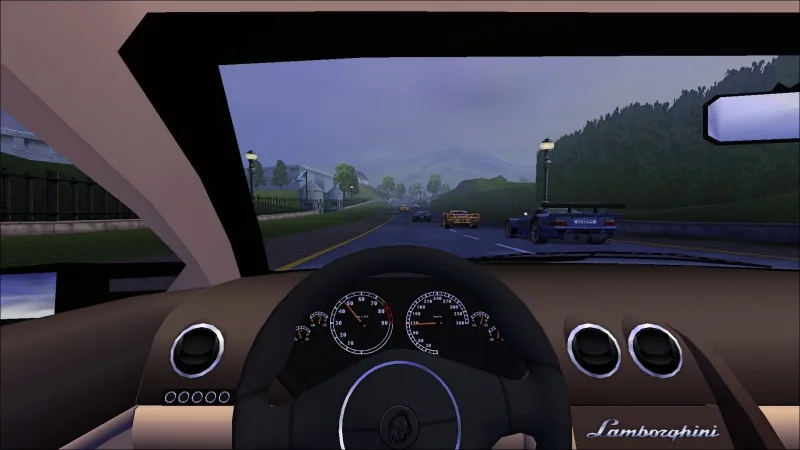
- dashboards and customizable numberplates for every car
- career play upgrades for every car from class B to AA
- EA-style VidWalls and showcases with audio for every car (addon cars only in English)
- technical data sheets for every car in both metric and imperial systems
- correct rpm- and mph-needle placements for any car
- original car colors
- new track sequences for career play
- every track has 2 laps
- optional 1 lap (DATA/TEXT --> short career mode)
- El Nino Pro Cup replaced with McLaren Pro Cup
- win the cars needed to participate in the various manufacturer Pro Cups in High Stakes races
- delta patches for gear switch fix
- automatic downshift removal
- 2 traffic cars --> 8 to 9 depending on mode
- optional: no car resets (alternative exe)
- PS1 soundtracks
- Cop Speech Expansion (only English)
- traffic node fixes
- HD numberplates, helicopters and traffic cars
- and more ...
- To install copy the SAVE and SAVEDATA folders from your game CD.
- Afterwards install the mod pack and choose overwrite all.
- Optionally switch language in nfs4.ini (language=british, english, french, german, italian, spanish or swedish)
- Ready to go.
Credits to the hundreds of mod creators.
Car list: https://www.nfsaddons.com/forums/index.php?topic=2832.0
Still looking for better dashboards as well as audio showcases for some cars and "real" night modes for some tracks.
Changelog
-
Version 1.1
uploaded May 5, 2026
Hommelwomb uploaded a new version. The new file is 891.65 MB.
set headlights to be vertexed instead of projected in config - no need to redownload as you can do that youself in game -
Initial version
uploaded May 5, 2026
Hommelwomb uploaded initial version. The original file is 891.65 MB.
Random NFS Addon
Newest Addons
- Most Wanted Chloe Collection
- Most Wanted Multi-Layer Vinyls
- Custom/Random license plates
- Lamborghini Diablo SV (Racer & Pursuit)
- Cop/Police Nissan GTR Proto COPPROTO (ADDON)
- 2005 Vauxhall Monaro VXR (V2)
- Enable Single Player on All Events
- RPD 2016 Ford Police Interceptor Utility (Addon)
- Audi RS6 Avant C8
- Nissan Altima 3.5 SE (L32)
Latest Updates
- Ford Mustang 3 in 1 pack
- Nissan Altima 3.5 SE '07
- Cop/Police Shelby Daytona Coupe COPCOBRAD (ADDON)
- Cop/Police Lamborghini Countach 5000QV COPCTACH (ADDON)
- Cop/Police Charger06 COPCHARGER06 (ADDON)
- NFS.onl Software: kickStart Netplay Launcher & Lap Recorder
- Ford Mustang 3 in 1 pack
- Nissan Altima 3.5 SE '07
- 2005 Vauxhall Monaro VXR (V2)
- Improvements for Extended Paints
Comments 53
What a nice idea to give us a completely patched version with everything that makes NFS4 shine nowadays... I still have to fiddle a bit with the settings as it sometimes freezes and hangs itself when playing but I can figure that out for sure. NFS4 is quite a diva on modern systems.
But what absolutely destroys it for me is the use of Reshade. I hate that stuff sooooo much! The horrible sharpening, the blue filter, the uber-contrast... Until I figure out how to kill it off completely I just can not use your mod.
Is there a possibility of a kind of "switch" to turn that stuff out in a next version? I tried to delete everything with "reshade" in it's name but it still works unfortunately.
I use much less sharpening than other reshade presets. You can toggle on and off reshade in game with the NUM-key. Alternatively you can also completely disable it by setting NoReloadOnInit=1 in the reshade.ini.
unfortunately I can not access the reshade menu via NUM-key as the mouse control does not work in this menu. I tried an "NoReloadOnInit=1" entry to the INI and it seems to work but it does not get rid of the reshade overlay on top of the screen. Is there an option to uninstall this stuff? I really don't want to have this sh*t in my game AT ALL.
I haven't bothered to uninstall it yet, since toggling it on and off via the NUM key works flawlessly for me—entirely without any mouse input. The uninstallation process seems a bit strange. First, you need to download the ReShade setup with full add-on support. Then, run it and navigate to nfs.exe --> Next --> DirectX9 --> Next --> Uninstall. That worked for me.
Thank you Pete. But the game does not freeze in the menus but in the races... soemtimes after 5-10 seconds after the start. I am pretty sure that it has to do with "Reshade" as deactivating it fixed this issue. Reshade made my game go completely bonkers anyway... it brought my GeForce RTX2060 almost to boiling temperature. It's not the newest graphics card but it still does the trick for a 1999 game. It never happened with any demanding modern game till now.
Anyway... I hate Reshade and I hope for a "lite version" without this stuff from the beginning as I can not understand how ANYONE on earth can like the graphic tweaks is does to the game AT ALL. All it does is this "year-2000-fancy-HDR" filters, that are in fact the opposite of HDR as it always raises contrast to unbearable extends... almost like a vanilla "NFS - Most Wanted" that needed patches to delete this stuff to look acceptable ;)
dear, something is wrong with a Text or Tracks folder. Within 3d try i realize that (exception error at a game start).
So i took F1GTR for a test drive, and well, to me the handling... Default handling look astonishingly sucks - to be fair.
Everything else seems functioning. Waiting more from you.
Guys... someone torrent please. Site works bad w me. Only small volumes downloadable😂
Oh! It's perfect now! Download finished. Thank u so much) also thanks for running this cool site🏁
Fully upgrade for your SV logo 👍
So i checked all the Tracks folders, they are all good. When i installed your Text folder - game refuses to run. So here the original english Text folder.
https://drive.google.com/file/d/1GrAuKe_PRldbNNmzXbOycFE6Z4DJBNTb/view?usp=sharing
I compared the orginal CD English text folder files with the original CD German ones using a hex-editor. They are identical.
Anyone else has that problem?
There's actually missing many files from that folder. I can upload the EP text folder for you to see which files are missing:
https://drive.google.com/file/d/1dlttyuIuhtAaYA79cypFxXBkT4unVig9/view?usp=sharing
But after fixing that, the game still refused to start, your setup is not Windows 7 friendly lol
The mod only contains files which have been changed. The complete DATA and SAVEDATA files from your game CD should be installed first as a requirement.
You mean the ugly yellowish color of the official addon car in NFS4? I actually edited that color in my extensive (unfinished) NFS4 fixes, because I found it just terrible.
BTW, I am not sure there actually is a 100% reliable information about that color. Few other DB7 gold-ish colors are similar to each other and look nothing like this yellow in NFS4, but getting real info on Lindisfarne Gold is tough. The only thing I know for sure is that it was used rarely on the car and only in some years, maybe only one year, I am not sure about that either. Tay Gold was used in 2002 only I think e.g. and looks, well, like gold, not yellow. :D
I am not a big fan of hi-poly cars for NFS3 or 4 as I think that they simply don't mix well with the rest of assets and the engine in general, but this is quite huge amount of work, so it was a must to make an exception.
I don't have time to try all of the cars, I tried only few so far and they are really great work. Congrats on this! These must have taken terrible amount of time and work that rarely anyone invests in a vantage game these days.
There are few things I encountered (at least so far), like Skyline not having correct needle positions of RPM/Speedo meters, nothing serious.
But then there is also a problem with Skyline in terms of its serial number. Original EA addon is bugged in this regard (and in many others) where it uses #25 in all FEDATA files, but #26 in CARP, causing problems with Lister if this car is installed as well. You don't have Lister in your pack, so perhaps you don't use it on your own, but others can have it and it will bite a bit.
Correct number #26 should belong to Lister I think, simply because Storm was also used in NFS3, with the same number.
And I would like to see some documentation in the pack, like where some of the assets come from. From my short testing, this particular question would be about the GT90 interior, because it's the same one as the one here, released almost quarter of century ago: https://www.nfsaddons.com/downloads/nfshs/cars/ford/656/ford-ford-gt-90.html
Also, full pack of some cars will make the game inevitably slow, no matter the hardware. While I also use Silent Patch in conjunction with Veg's, it doesn't really help it in this regard, it only makes Veg's patch more stable. Medium bodies would be welcome, but I understand that it's a lot of additional work. No medium bodies with standard EA cars is not a problem even on a potato from 2000, just these hi-poly ones are.
And last thing - normals, again only from that little what I tried. But I get that these cars probably aren't used only for NFS4 and that making "proper" normals for all these cars would be very time consuming, so it's not really a complain in the light of the bigger picture.
Anyway, so far quite cool, I will certainly test more when I have time.
Your problem is not the high poly cars, but the 3d renderer setup instead.
Try this setup if you want the lagging to disappear when using high poly cars:
https://drive.google.com/file/d/1CvD0lQTWeOlB4KAU-HQwuoTMX_BSIDEP/view?usp=sharing
Password is: Proper
If for some reason this setup doesn't work for you, change from dx7 to dx9 inside the nfs4.ini
It should work perfectly fine in combination with Reshade.me
Make sure to use an ingame resolution with a (z) behind it, otherwise you'll get graphic bugs/glitches
Note: It's risky to use full screen mode in dgvoodoo. I personally start the game in windowed mode and then press Alt Enter to make it full screen because if the game crashes all from a sudden, it will screw your desktop
Thanks.
It won't screw my desktop in Wine on Wayland, that's not a problem. ;)
In general, I use only two renderers - nGlide and Software for mostly testing, because the Z related visual issues in it are not worth dealing with for normal gameplay.
I tried "Proper", but I can't get it to work at all with the wow64 build of Wine with or without DXVK. I will try more later, but I doubt I will get it to work properly.
I prefer nGlide because of the visual presentation a great compatibility. Gamma in D3D renderers seems a bit wrong to me, but it can also be a habit.
While Dgvoodoo is great for many things (I use it for RalliSport Challenge, TD5 etc.), but it's also a bit of hit and miss depending on version, so for CMR2 e.g. I use only Dxwrapper as it gets rid of that terrible stutter completely.
Yeah sorry, a bit OT. :D
I can get NFS4 to run with dgVoodoo and standard Veg's renderers perfectly fine, just the new dx7/9 renderers don't work here in Wine. To be precise, I can get it to work so it runs with Dxwrapper, but that has missing textures etc. With dgVoodoo, it crashes on start with both, DX7 and DX9. I tried later dgVoodoo version, same result.
No problem though, nGlide is just fine for testing this, only a bit slower with full pack of cars. I am quite aware of its performance limitations, but they are not a problem for the base game at all and are not a problem for other games it supports either, only if these are pushed where they were never supposed to be.
And it's consistent in its presentation. Mipmaps are not present in NFS4 with it, yes, but that's actually a plus for me when it comes to NFS4 and old racing games in general. With mipmaps, you get blurred textures in distance, with the low-res assets the more so. So it's needed to compensate with high aniso. Well, what for, just use nGlide.
Anyway, thanks for help and time pete, I appreciate it.
EDIT:
Some of those hi-res tracks are full of texture noise, so I had to keep investigating. Finally a working combination is DXVK 1.10.3 and dgVoodoo 2.62.
It's surely better for these assets, performance with full pack is better as well. Stability not so much, but I had only one crash, so it could've been dxvk cache or something.
It's a good idea not have nfs4.exe lose focus with it though.
I tried the default dx7 and also dx9, both seem to work fine.
No idea why is the d3d8.dll included though, it's surely not needed.
Image speaks a thousand words, if you have one.
It would make things at least clear for others so they know what you are dealing with.
would take a video honestly since the gap moves with the camera, I do have these screenshots but still hard to see in a static image
Nope! it has since resolved itself , my next step is to identify what is causing the issue by comparing what is in the zip download vs what I have right now that's working
It's visible quite well. And it's super annoying just from the screenshots. This almost looks like a problem with perspective, but that can't be set in any other renderer than the "softtri" one.
I tried to reproduce it by messing with thrash.ini files and renderers, but no luck. But my setup doesn't really render the game in D3D mode, but either OpenGL or Vulkan, so it may also prevent me from reproducing this somehow.
It can very well be a driver issue, but this would be rather unusual problem for Nvidia driver, using AMD?
I also had to first convert all the files in the pack to lower case, since it is a mess of a mix of lower and upper case filenames, no documentation in it and a bunch of dlls mixed together combining Dxwrapper, dgVoodoo, Reshade and some new nfs4.exe - serious mess of things.
What I suggest you do is take your default NFS4 installation, copy it somewhere and use that for the HD pack.
Then, in the copy of your NFS4 installation, delete the "cars" folder in "savedata" as it will interfere with some of the cars in this HD pack if you use some of the EA addon cars. Then copy over only the "data" and "savedata" folders from this HD pack, replacing the files. Or copy over just one car and one track folder to test.
Finally, get the "Proper" renderers from the link pete9516 posted, using the password "Proper" (no quotes) to unpack: ( https://drive.google.com/file/d/1CvD0lQTWeOlB4KAU-HQwuoTMX_BSIDEP/view?usp=sharing ) and copy over the files, replacing the current ones.
That's more or less the way I use this pack, but with different dgVoodoo version and DXVK on top.
WORKS! I have no idea what I did, I was trying to leave the VEG drivers in, then copy over then wouldn't run so I put them in now it works!?! If no one else has a problem with it I guess it's all good now, but you gave me the idea to fiddle with the voodoo drivers, if someone else has the same issue I'll do a comparison of my files vs the download, just happy it works!
Also leaving the nominal settings at 640x480x16 (z) and the game seems to play in my native screen resolution 1440p, so whatevs I'm just happy it works!Yes it actually doesn't really matter which ingame resolution you choose, but the important part is the (z) behind the resolution. I've set dgvoodoo to use your desktop resolution. There's also newer versions of dgvoodoo which automatically take the largest 4:3 resolution which would be best for displaying, but i have the feeling that most people prefer the image to be filled to their desktop resolution
Before applying my files, it's highly recommended to rename the already existing "dx7" and "dx9" folders
This mod could really use a readme file with some installation instructions. I spent a considerable amount of time trying to simply get it to run without success. Also, it may be a good idea to include a credits list of all the original authors as I didn't see one.
Here's a quote from Hommelwomb: "The mod only contains files which have been changed. The complete DATA and SAVEDATA files from your game CD should be installed first as a requirement."
Error: You must be logged in to comment on this file.
Not registered yet? Register here. It only takes 30 seconds.
Forget your password? Find it here.