Recent activity on NFSAddons
Need for Speed Underground Downloads
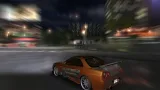
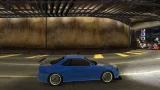
1999 Nissan Skyline GT-R R34 Lnr Edition
AuthorTails
Added On
September 1, 2018
Version
Underground
Brand
Nissan
Replaces
Nissan Skyline GT-R (SKYLINE) Find more cars that replace it
Views
17,378
Downloads
1,509
Favorited
2 times
Screenshots (13)
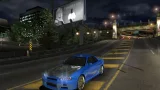
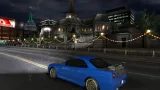
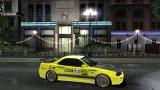
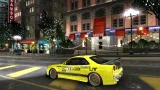
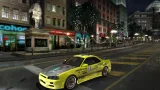
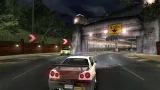
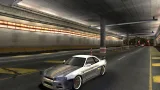
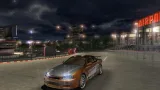
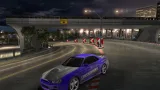
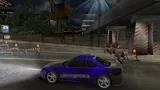
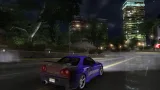
Description
Car converted by Tails_16v
___________________________________________________________________________________________________________________
Type of mod: Car
Model: Nissan Skyline GT-R R34 Lnr Edition
Replaces: SKYLINE
Known bugs: None so far.
Car can be customized with:
-exhaust tips
-rims
-bodykit (rollcage)
-window tints
-headlights
-brakelights
-paint
-vinyls (just some)
-some other bits
Credits:
EA Games -Car & wheels models (NFS:PS, NFS:C)
Turn 10 - Hood model (FM3)
Riva - Ripping the FM3 Skyline
nfsu360 - Mod Tools
How to install the mod:
1. Back up all original files!
2. Replace original textures and geometry with those from package. Just copy them to CARS/SKYLINE folder.
3. Install wheel position with NFS-CfgInstaller which you can find in Config folder.
4. Download NFS-TexEd-0.9.1 and replace textures #608, #609, #786 and #813 in CARS/SKYLINE/VINYLS.bin with custom
liveries from the folder Vinyls/Custom liveries.
5. Replace some custom vinyls with the vinyls converted Pro Street liveries from Vinyls/Pro Street liveries folder.
6. Replace textures #291, #785, #292 and #791 with the stripes from Vinyls/Stripes folder.
7. Replace textures #177, #251, #320 and #364 with the vinyls from Vinyls/Underground specific folder.
8. Open the game and enjoy your improoved Skyline!
NOTE: I've included the debug file from NFS: Pro Street. The debug is NOT 100% accurate, so be aware that you'll
need some extra adjustments on the vinyl after you create it to fit the debug.
Do not upload it on any other site without my permission. You can provide link, but not upload any part of this mod.
___________________________________________________________________________________________________________________
2.2.2013 - v1.1 - a few minor bugfixes (ride height, new taillight dummies, minor material changes)
___________________________________________________________________________________________________________________
Type of mod: Car
Model: Nissan Skyline GT-R R34 Lnr Edition
Replaces: SKYLINE
Known bugs: None so far.
Car can be customized with:
-exhaust tips
-rims
-bodykit (rollcage)
-window tints
-headlights
-brakelights
-paint
-vinyls (just some)
-some other bits
Credits:
EA Games -Car & wheels models (NFS:PS, NFS:C)
Turn 10 - Hood model (FM3)
Riva - Ripping the FM3 Skyline
nfsu360 - Mod Tools
How to install the mod:
1. Back up all original files!
2. Replace original textures and geometry with those from package. Just copy them to CARS/SKYLINE folder.
3. Install wheel position with NFS-CfgInstaller which you can find in Config folder.
4. Download NFS-TexEd-0.9.1 and replace textures #608, #609, #786 and #813 in CARS/SKYLINE/VINYLS.bin with custom
liveries from the folder Vinyls/Custom liveries.
5. Replace some custom vinyls with the vinyls converted Pro Street liveries from Vinyls/Pro Street liveries folder.
6. Replace textures #291, #785, #292 and #791 with the stripes from Vinyls/Stripes folder.
7. Replace textures #177, #251, #320 and #364 with the vinyls from Vinyls/Underground specific folder.
8. Open the game and enjoy your improoved Skyline!
NOTE: I've included the debug file from NFS: Pro Street. The debug is NOT 100% accurate, so be aware that you'll
need some extra adjustments on the vinyl after you create it to fit the debug.
Do not upload it on any other site without my permission. You can provide link, but not upload any part of this mod.
___________________________________________________________________________________________________________________
2.2.2013 - v1.1 - a few minor bugfixes (ride height, new taillight dummies, minor material changes)
Comments 2
Error: You must be logged in to comment on this car.
Not registered yet? Register here. It only takes 30 seconds.
Forget your password? Find it here.