Recent activity on NFSAddons
Need for Speed Pro Street Downloads
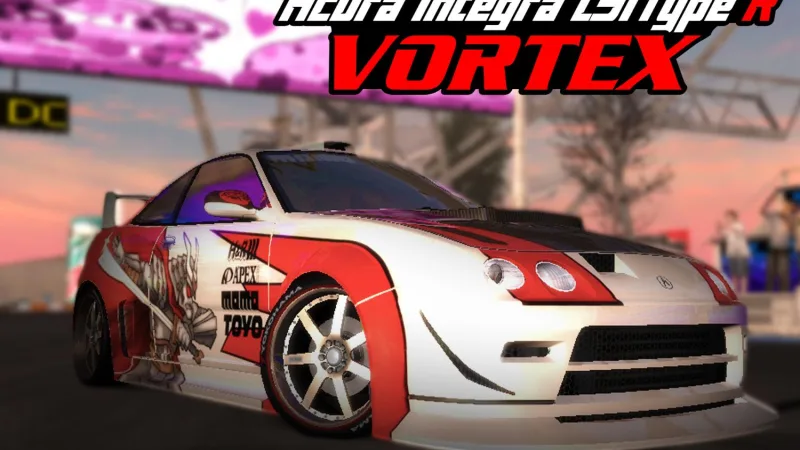
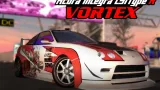
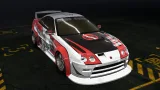
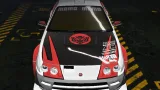
Acura Integra LS/Type R Vortex Livery
Screenshots (6)
Description
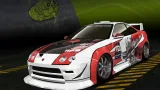
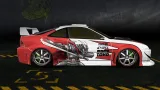
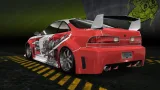
The car we all fell in love with at the start of NFS: Underground and were always frustrated that we couldn't drive it in the campaign, even after being unlocked, now in ProStreet in 4K!
This is an almost identical recreation of the Acura Integra Type R "Vortex" that we found in the first race of Underground mode.
The livery is compatible with the Type R and the LS model, as they are physically the same, they even share the same wide bodykit lmao. Just use the .nfspscd in any of the two models.
Compatible with any version of ProStreet.
--------------------------------------------------------------------------------------------
Necessary programs
--------------------------------------------------------------------------------------------
Binary 2.9.0- https://github.com/NFSCO/Binary/releases/tag/v2.9.0
Archie's Car Customizer - https://nfsmods.xyz/mod/1075
--------------------------------------------------------------------------------------------
Installation
--------------------------------------------------------------------------------------------
- Open Binary and use the user mode.
- Enter "Vinyl_Adding_Binary_Script_Prostreet", select "ProStreet Binary Install.end", save and open the game.
- Once in the game go to the car you want to install the vinyl on, enter any blueprint and then open Car Customizer.
- In Car Customizer, click on "File", "Open", find the folder "Car Cus files" of the .rar and open the car you want to install the vinyl on
- Go back to the game and that's it!
Both the modifications and the vinyl itself never show up the first time, so go in and out of Showcase mode a few times until you see that the car parts have changed.
The vinyl itself may take a while to appear, so if in the seconds after the parts have changed the vinyl doesn't appear, wait about a minute for the vinyl to appear.
-------------------------------------------------------------------------------------------------
Credits
-------------------------------------------------------------------------------------------------
Many thanks to:
- -VeeTec for creating the script to insert the vinyls in ProStreet, making the process much easier.
- -GONI25for being the one who recreated the vinyl in vectors, giving it much more quality than it has originally.
I only took care of giving shadows to the samurai and readjust the vinyl to make it as faithful as possible to what you see in Need For Speed: Underground. Tysm GONI.
Random NFS Addon
Newest Addons
- Most Wanted Chloe Collection
- Most Wanted Multi-Layer Vinyls
- Custom/Random license plates
- Lamborghini Diablo SV (Racer & Pursuit)
- Cop/Police Nissan GTR Proto COPPROTO (ADDON)
- 2005 Vauxhall Monaro VXR (V2)
- Enable Single Player on All Events
- RPD 2016 Ford Police Interceptor Utility (Addon)
- Audi RS6 Avant C8
- Nissan Altima 3.5 SE (L32)
Latest Updates
- Ford Mustang 3 in 1 pack
- Nissan Altima 3.5 SE '07
- Cop/Police Shelby Daytona Coupe COPCOBRAD (ADDON)
- Cop/Police Lamborghini Countach 5000QV COPCTACH (ADDON)
- Cop/Police Charger06 COPCHARGER06 (ADDON)
- NFS.onl Software: kickStart Netplay Launcher & Lap Recorder
- Ford Mustang 3 in 1 pack
- Nissan Altima 3.5 SE '07
- 2005 Vauxhall Monaro VXR (V2)
- Improvements for Extended Paints
Comments 2
Error: You must be logged in to comment on this vinyl.
Not registered yet? Register here. It only takes 30 seconds.
Forget your password? Find it here.