Recent activity on NFSAddons
Need for Speed High Stakes Downloads
NFS4 HD Extended Mod Pack
AuthorHommelwomb
Added On
May 5, 2026
Views
173
Downloads
8
Version
High Stakes
File Size
891.65 MB
Favorited
1 times
Description
A collection of 50 cars from the early 1990s to the early 2000s.
- VEG Modern Patch, Widescreen Patch and Multi Lingular Parch
- Reshade (NUM key in game = toggle on/off or set NoReloadOnInit=1 in reshade.ini to disable completely)
- HD versions of the original tracks
- HD versions of the original cars as well as for the new ones
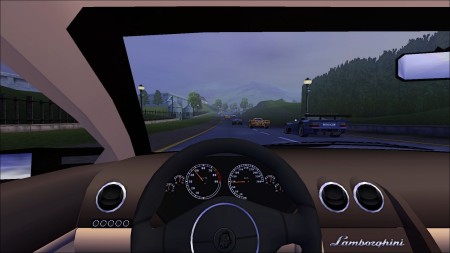
- dashboards and customizable numberplates for every car
- career play upgrades for every car from class B to AA
- EA-style VidWalls and showcases with audio for every car (addon cars only in English)
- technical car data sheets for every car in both metric and imperial systems
- correct rpm- and mph-needle placements for any car
- new track sequences for career play
- every track has 2 laps
- optional 1 lap (DATA/TEXT --> short career mode)
- El Nino Pro Cup replaced with McLaren Pro Cup
- win Chevrolet Corvette, Porsche 911 Turbo and McLaren F1 GTR via High Stake races
- delta patches for gear switch fix
- automatic downshift removal
- 2 traffic cars --> 8 to 9 depending on mode
- optional: no car resets (alternative exe)
- PS1 soundtracks
- Cop Speech Expansion (only English)
- traffic node fixes
- HD numberplates, helicopters and traffic cars
- and more ...
- To install copy the SAVE and SAVEDATA folders from your game CD.
- Afterwards install the mod pack and choose overwrite all.
- Optionally switch language in nfs4.ini (language=british, english, french, german, italian, spanish or swedish)
- Ready to go.
Credits to the hundreds of mod creators.
Car list: https://www.nfsaddons.com/forums/index.php?topic=2832.0
Still looking for better dashboards as well as audio showcases for some cars and "real" night modes for some tracks.
Changelog
-
Version 1.1
uploaded May 5, 2026
Hommelwomb uploaded a new version. The new file is 891.65 MB.
set headlights to be vertexed instead of projected in config - no need to redownload as you can do that youself in game -
Initial version
uploaded May 5, 2026
Hommelwomb uploaded initial version. The original file is 0 B.
Random NFS Addon
Newest Addons
- NFS4 HD Extended Mod Pack
- MINI Cooper S 2002
- Underground Save Games - OG Version
- 2007 Mercedes-Benz SLR McLaren 722 Edition
- 2000 Ferrari 550 Barchetta Pininfarina F133
- Pro Street Grip Runners Vinyls
- RPD 2024 Ford Mustang Dark Horse (Addon)
- Karol Monroe's Mustang GT
- Pro Street After Mix Vinyls
- Maserati Ghibli
Visitor Comments
What a nice idea to give us a completely patched version with everything that makes NFS4 shine nowadays... I still have to fiddle a bit with the settings as it sometimes freezes and hangs itself when playing but I can figure that out for sure. NFS4 is quite a diva on modern systems.
But what absolutely destroys it for me is the use of Reshade. I hate that stuff sooooo much! The horrible sharpening, the blue filter, the uber-contrast... Until I figure out how to kill it off completely I just can not use your mod.
Is there a possibility of a kind of "switch" to turn that stuff out in a next version? I tried to delete everything with "reshade" in it's name but it still works unfortunately.
I use much less sharpening than other reshade presets. You can toggle on and off reshade in game with the NUM-key. Alternatively you can also completely disable it by setting NoReloadOnInit=1 in the reshade.ini.
unfortunately I can not access the reshade menu via NUM-key as the mouse control does not work in this menu. I tried an "NoReloadOnInit=1" entry to the INI and it seems to work but it does not get rid of the reshade overlay on top of the screen. Is there an option to uninstall this stuff? I really don't want to have this sh*t in my game AT ALL.
I haven't bothered to uninstall it yet, since toggling it on and off via the NUM key works flawlessly for me—entirely without any mouse input. The uninstallation process seems a bit strange. First, you need to download the ReShade setup with full add-on support. Then, run it and navigate to nfs.exe --> Next --> DirectX9 --> Next --> Uninstall. That worked for me.
Error: You must be logged in to comment on this file.
Not registered yet? Register here. It only takes 30 seconds.
Forget your password? Find it here.