Recent activity on NFSAddons
Need for Speed The Need For Speed II Downloads
Coal Harbour
Additional Screenshots
Description
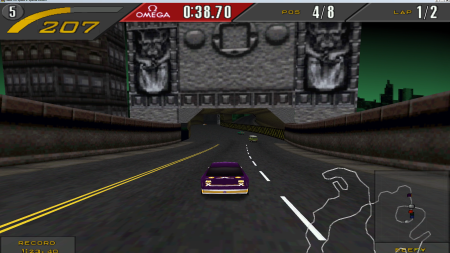
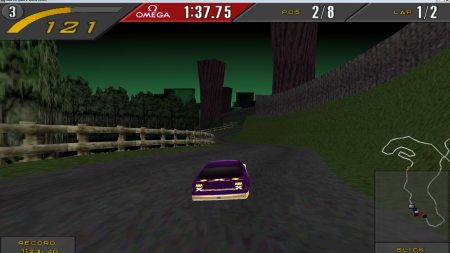
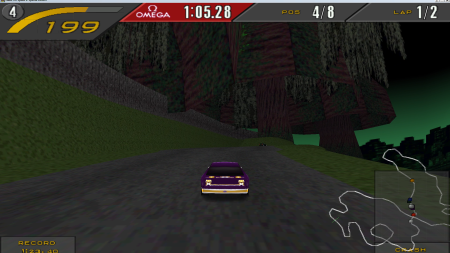
Coal Harbour - Original second unfinished variation of Empire City track from developers (Empire Park)
Converted nfs3psx track into nfs2pc
Simply move the files into your main game directory. (Do backup of Gamedata folder first)
Created for Veroks patch version of game - in launcher select for Textures Type: "Special Edition"
Thanks to Jericho - You can adjust nfs3 music in tracks now. After booting the game with the copied files for the first time, in "Scripts" folder, file "nfs3tonfs2.ini" appears. Open this file with notepad and you can set/change which interactive nfs3 soundtrack you want to play on which track.
I recommend 08 slot (Monolithic Studios) for this track.
Do not use rear window in track, switch it off. Can cause crash when animated objects gets in rear window
Not fixed / missing yet:
- This track is untouched as it was originally left by developers during creating
- Shortcuts can be sometimes buggy
Thanks to:
Denis Auroux
- files descriptions, it would be never possible without his high quality file description
TsTg
- technical support and helper with problems during developing and converting
Check his Track Extender for nfs2:
https://www.nfsaddons.com/downloads/nfs2/tools/8417/nfs2se-track-extender-mod.html
Jericho
- interactive music soundtrack from nfs3 during gameplay and in after race menu
Hypercycle
- files similiarity allerting, provided textures and other help
Video of race track in both directions here:
https://youtu.be/_cGrXygRnDs
Random NFS Addon

Newest Addons
- Dynamic Uphill Crash Fix
- Bird Poop Removal Mod
- BMW M2 (Special Edition) (Asphalt 8 Airborne)
- Bounty Hunter Cross [ Addon ]
- Chevrolet Express RPD [ Addon ]
- Swat Van [ Addon ]
- Redux Scripts optimization for low end pc
- Toyota Sprinter Trueno , 2026 REMAKE
- NFS II on Windows 95 in 2026?! One Click on Linux — Windows Too!
- XtraTrax
Latest Updates
- Ford Mustang 3 in 1 pack
- Natural Lighting / ProStreet Lighting for Undercover
- NFSC - EA Trax in Drift Races
- Redux Scripts optimization for low end pc
- BMW M2 (Special Edition) (Asphalt 8 Airborne)
- Lamborghini Diablo VT '93
- Ford Mustang 3 in 1 pack
- Lamborghini Diablo VT '93
- Xenon Effects for Need for Speed Most Wanted
- Custom Race Pack
Visitor Comments
Not bad track! But there are some issues:
1. Opponents just teleport across map (not all, but one is always).
2. Some lags (maybe not track, it's a config?).
Yeah, ai speeds is something i didnt still have time to develop in it and edit,i hope to do it in the future.
About the lags i am not sure what can be the issue
Thank you for points666 views lol
Error: You must be logged in to comment on this track.
Not registered yet? Register here. It only takes 30 seconds.
Forget your password? Find it here.